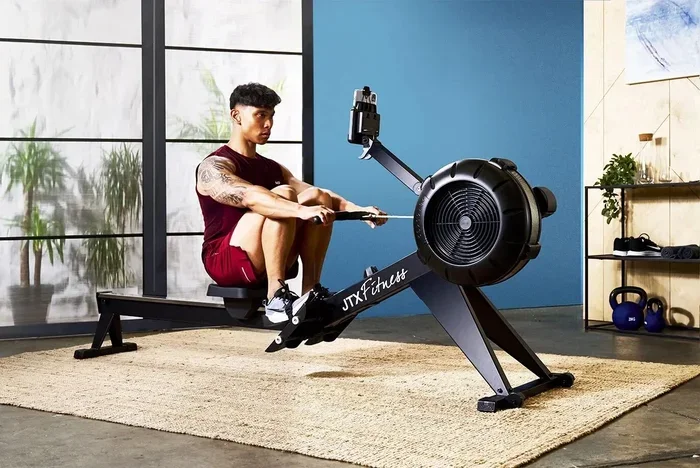
What Do Numbers on Rowing Machine Mean 2

Understanding what do numbers on rowing machine mean helps you train smarter, not harder. Your display shows key data like stroke rate, split time, calories burned, and distance tracking. This guide breaks down every reading so you can use your rowing machine display like a pro.
You step onto the rowing machine, grab the handle, and start pulling. But then you glance at the screen and see a bunch of numbers flashing. What do they all mean? If you have ever felt confused by your rowing machine display, you are not alone. Most people ignore the numbers entirely and just row. That is a big mistake.
Understanding what do numbers on rowing machine mean changes everything. It turns a random workout into a targeted training session. You stop guessing. You start tracking real progress. Whether you are a beginner or a seasoned rower, knowing your performance metrics helps you get more out of every stroke.
This guide covers every number on your rowing machine monitor. We will explain each reading in plain language. No tech jargon. No confusing formulas. Just clear answers that help you row better and train smarter.
Key Takeaways
- Stroke Rate (SPM): Tells you how many strokes you take per minute. Most beginners should aim for 18-24 SPM.
- Split Time: Shows how long it takes to row 500 meters. This is your main pace indicator.
- Calories Burned: Estimates energy expenditure based on your weight and intensity.
- Watts (Power Output): Measures the force you apply. Higher watts mean harder effort.
- Damper Setting: Controls airflow to the fan. It’s not resistance—it’s effort level.
- Distance Tracking: Tracks total meters rowed. Many programs use 2000 meters as a standard test.
- Heart Rate: Helps you stay in the right training zone for your fitness goals.
📑 Table of Contents
- Understanding Your Rowing Machine Display
- What Do the Key Numbers on a Rowing Machine Mean
- Calories Burned and Power Output Explained
- Reading Performance Metrics Like a Pro
- Common Mistakes When Reading Rowing Machine Numbers
- Quick Tips for Making Sense of Your Rowing Data
- Expert Insights on Reading Your Rowing Display
- Conclusion
Understanding Your Rowing Machine Display
Every rowing machine display shows a similar set of numbers. The layout may differ slightly between brands like Concept2, Hydrow, or Ergometer models. But the core data stays the same. Let us walk through what you actually see on screen.
The Main Numbers You See
When you power on your rower, the screen readings typically show these key figures:
- Stroke Rate (SPM) — Strokes per minute
- Split Time — Time per 500 meters
- Distance — Total meters rowed
- Calories — Estimated energy expenditure
- Watts — Power output
- Time — Elapsed workout time
These six numbers form the backbone of your workout data. Some advanced models also show heart rate, drag factor, and pace per kilometer. But these six will cover 90% of what you need.
How the Monitor Display Works
The monitor display updates in real time. As you pull the handle, the numbers change instantly. Most rowers have a small memory that stores your last few workouts. This lets you compare sessions over time.
Think of your rowing machine monitor like a dashboard in a car. The speedometer is your split time. The RPM is your stroke rate. The fuel gauge is your calories burned. Together, they tell the full story of your ride.
What Do the Key Numbers on a Rowing Machine Mean
Now let us break down each number individually. This is where most people need help. Knowing what each metric means gives you control over your training.
Stroke Rate (SPM)
Stroke rate measures how many times you pull the handle in one minute. You will see this shown as SPM (Strokes Per Minute). A stroke rate of 20 means you complete 20 full rowing cycles in 60 seconds.
Here is a simple breakdown:
- 14-16 SPM — Recovery pace. Great for warm-ups and cool-downs.
- 18-22 SPM — Comfortable pace. Best for long, steady sessions.
- 24-28 SPM — Moderate intensity. Good for interval training.
- 30+ SPM — High effort. Used by competitive rowers in sprints.
Most beginners should stick to 18-22 SPM. Going too fast too soon leads to bad form. Speed is not the goal. Smooth, powerful strokes are. If you want to learn more about finding the right rhythm, check out what is a good pace on a rowing machine for detailed guidance.
Split Time and Pace
Split time is one of the most important numbers on your display. It tells you how long it takes to row 500 meters. This is your pace indicator. A lower split means you are rowing faster.
For example, a 2:00 split means it takes two minutes to cover 500 meters. A 1:45 split is faster. Most recreational rowers fall between 1:50 and 2:30 splits.
Here is a quick reference table:
| Split Time | Pace Level | Who It Is For |
|---|---|---|
| 1:30-1:45 | Elite | Competitive rowers |
| 1:45-2:00 | Advanced | Experienced fitness rowers |
| 2:00-2:20 | Intermediate | Regular exercisers |
| 2:20-2:45 | Beginner | Newcomers to rowing |
| 2:45+ | Recovery | Warm-up or cool-down |
Your split time changes based on effort. Push harder, and your split drops. Relax, and it rises. This number directly reflects your power output and fitness level. For more tips on pacing, you can read about how far 2000 meters is on a rowing machine to understand standard distance benchmarks.
Distance and Distance Tracking
Distance tracking shows how many meters you have rowed total. This number keeps climbing as you pull. It resets when you start a new workout.
Many rowers use 2000 meters as a standard test distance. It takes roughly 6-10 minutes for most people. Training by distance gives you clear goals. Want to row 5000 meters this week? Track it on your display. Want to beat last week’s time? Your screen readings will tell you exactly where you stand.
Some machines also let you set distance targets. The monitor beeps or flashes when you hit your goal. This is a great motivator. You can learn more about standard distances in our guide on how far 1000 strokes is on a rowing machine.
Calories Burned and Power Output Explained
Two of the most popular numbers on any rowing machine display are calories and watts. Let us break these down.
Understanding Watts and Power
Watts measure your power output. This is the force you apply to the flywheel with each stroke. More watts means more effort. Less watts means easier rowing.
Here is how watts relate to effort:
- 50-100 watts — Light effort. Good for recovery rows.
- 100-200 watts — Moderate effort. Perfect for steady-state cardio.
- 200-350 watts — Hard effort. Builds strength and endurance.
- 350+ watts — Maximum effort. Used in competitive training.
Watts are objective. Unlike split time, which can feel different on different days, watts are consistent. If you pull 250 watts today and 250 watts tomorrow, you applied the same effort both days. This makes watts one of the most reliable performance metrics.
How Calories Are Calculated
Calories burned on your rowing machine monitor is an estimate. The machine uses your weight, age, and stroke intensity to calculate it. The formula is based on exercise physiology research.
Keep in mind that calorie estimates are not exact. They are close enough for planning purposes. If you want more precise data, pair your rower with a heart rate monitor. This combo gives you a much better picture of your energy expenditure.
Want to understand how many calories you should realistically burn? Check out how many calories you burn on a rowing machine for a deeper dive into calorie burn rates and how to maximize them.
Reading Performance Metrics Like a Pro
Once you understand the basic numbers, it is time to look at advanced screen readings. These metrics help you fine-tune your training and avoid plateaus.
Damper Setting and Resistance Levels
The damper setting is one of the most misunderstood features on a rowing machine. It is located on the side of the flywheel. It looks like a small lever with numbers 1 through 10.
Here is the truth: the damper controls airflow, not resistance. Higher settings let more air into the fan. This makes the handle feel heavier. Lower settings restrict air. The handle feels lighter.
Think of it like a bicycle gear. A higher gear makes pedaling harder. A lower gear makes it easier. You do not change gears to go faster. You change gears to match the terrain. The same logic applies to damper settings.
Most people row best at settings 3-5. Competitive rowers often use 4-6. Setting 10 is not “hard mode.” It just means more air. If you want the full breakdown, read our article on what the damper does on a rowing machine. It explains this concept in detail and clears up common myths.
Heart Rate and Workout Data
Many modern rowers include heart rate monitoring. This is usually done through a chest strap or handle sensors. Your heart rate tells you how hard your cardiovascular system is working.
Here are the key training zones:
- Zone 1 (50-60% max HR) — Recovery. Very easy rowing.
- Zone 2 (60-70% max HR) — Aerobic. Great for long sessions.
- Zone 3 (70-80% max HR) — Tempo. Builds endurance.
- Zone 4 (80-90% max HR) — Threshold. Improves speed.
- Zone 5 (90-100% max HR) — Maximum. Short sprints only.
Combining workout data like split time with heart rate gives you a complete training picture. You can see exactly how your body responds to different intensities. Over time, your resting heart rate drops and your max effort improves. That is real progress.
Drag Factor
The drag factor is a number that tells you how much resistance the flywheel creates. It is measured in newtons. Unlike the damper setting, which is arbitrary, the drag factor is precise.
A drag factor of 100 is light. A drag factor of 150 is moderate. A drag factor of 200+ is heavy. You can check your drag factor on the monitor. It helps you replicate the same effort every session, regardless of fatigue.
Common Mistakes When Reading Rowing Machine Numbers
Knowing what the numbers mean is one thing. Using them correctly is another. Here are the most common mistakes people make.
Misinterpreting the Display
Many people focus on calories first. This is the wrong priority. Calories are an estimate. They depend on your weight settings and can vary day to day. Instead, focus on split time and watts. These are more reliable indicators of effort.
Another common error is chasing a low split time too soon. If you are new to rowing, a 2:15 split is perfectly good. Trying to force a 1:45 split leads to sloppy form. You end up jerking the handle and using your arms instead of your legs. This is how injuries happen.
Ignoring Key Metrics
Some rowers never look at their performance metrics at all. They just row for 20 minutes and call it a day. This works for general fitness. But if you want to improve, you need data.
Ignoring your stroke rate is a big miss. Rowing at 32 SPM for 20 minutes sounds intense. But at that speed, your strokes become short and choppy. You lose power. You tire faster. Staying at 20-22 SPM with strong technique produces better results.
Similarly, overlooking resistance levels and damper settings means you might not be challenging yourself enough. Or worse, you might be working too hard without realizing it. The right balance makes your sessions more efficient and enjoyable.
Quick Tips for Making Sense of Your Rowing Data
Here are practical tips to help you use your rowing machine display more effectively:
- Start every session with a 5-minute warm-up. Keep your stroke rate at 16-18 SPM. Let your body ease in.
- Focus on form first. Smooth strokes beat fast strokes. Your legs do 60% of the work.
- Set distance goals. Row 10,000 meters this week. Track progress on your screen readings.
- Use intervals. Try 20 seconds hard, 40 seconds easy. Repeat 10 times. This builds speed and endurance.
- Log your numbers. Write down split time, watts, and stroke rate after each session. Compare weekly.
- Check the drag factor. Keep it consistent across sessions for fair comparisons.
- Listen to your body. If your heart rate is in Zone 4 and you feel fine, push slightly. If you are gasping, back off.
For more advice on structuring your sessions, explore how long you should do on a rowing machine. It covers ideal session lengths for different fitness levels.
Expert Insights on Reading Your Rowing Display
Coaches and fitness experts agree: the numbers matter, but context matters more. A 2:00 split means something different on a cold morning versus a hot afternoon. Your body is not a machine. It changes daily.
Professional rowers recommend focusing on consistency. Aim for the same split time and stroke rate across similar workouts. If your numbers drift, something changed. Maybe you slept poorly. Maybe you skipped breakfast. Maybe you need a rest day. The data tells a story. Learn to read it.
Another expert tip: do not ignore the workout data from your muscles. If your rowing machine monitor shows declining watts over 10 minutes, your form may be breaking down. Strong technique holds power steady. Poor technique causes numbers to fall apart.
Also consider pairing your rowing sessions with strength training. Rowing works many muscles, but targeted strength work improves your power output. For a full picture of which muscles benefit most, see what muscles you use on a rowing machine.
Conclusion
Now you know what do numbers on rowing machine mean. You understand your rowing machine display from stroke rate to drag factor. You know how to read performance metrics, interpret screen readings, and avoid common mistakes. This knowledge turns your rower from a simple exercise tool into a powerful training partner.
The numbers on a rowing machine are not there to confuse you. They are there to guide you. Start with one or two metrics. Master those. Then add more. Before long, every stroke will feel purposeful. Every workout will have direction. And your results will speak for themselves.
So next time you sit on that rower, take a quick look at your display. Know what each number means. Use the data to make smart choices. Row with intention. That is how you get stronger, faster, and fitter.
Frequently Asked Questions
What do the numbers on a rowing machine mean?
The numbers on your rowing machine show key workout data. This includes stroke rate (SPM), split time, distance, calories burned, watts, and elapsed time. Each number tracks a different part of your effort. Together, they give you a complete picture of your performance.
How do I read my rowing machine display?
Start by looking at your stroke rate and split time. These two numbers tell you how fast and how hard you are rowing. Add distance and calories to track overall progress. Most displays show all this data at a glance. Focus on keeping your stroke rate steady and your split time consistent.
What is a good split time on a rowing machine?
A good split time depends on your fitness level. Beginners typically row between 2:20 and 2:45 per 500 meters. Intermediate rowers hit 2:00 to 2:20. Advanced rowers often maintain 1:45 to 2:00. The key is improving your own numbers over time rather than comparing to others.
How accurate are calories burned on a rowing machine?
Calorie readings are estimates based on your weight and intensity. They are usually within 10-15% of actual values. For better accuracy, use a heart rate monitor alongside your rower. Keep your personal info updated on the machine for the best results.
What is the damper setting and how does it affect the numbers?
The damper controls airflow to the flywheel. Higher settings make the handle feel heavier. This increases your watts and can lower your split time. But it does not mean you are working harder. A setting of 3-5 works best for most people. Focus on smooth technique rather than high damper numbers.
Should I focus on stroke rate or split time?
Both matter, but split time is your primary pace indicator. Stroke rate tells you how frequently you pull. A lower stroke rate with a strong split means efficient power. A high stroke rate with a slow split means wasted energy. Aim for a steady stroke rate between 18-22 SPM and let your split time guide your intensity.