What Do the Numbers Mean on a Rowing Machine

Ever stare at the display on your rowing machine and wonder what those numbers really mean? This guide breaks down every metric—distance, stroke rate, split, watts, calories, and heart rate—so you can train smarter, track progress, and hit your fitness goals with confidence.
Key Takeaways
- Distance: Shows how far you’ve rowed; useful for endurance goals.
- Stroke Rate (SPM): Measures strokes per minute; higher SPM means faster cadence.
- Split Time: The time it takes to row 500 m; lower splits equal higher intensity.
- Power (Watts): Real‑time output; tracks how hard you’re pushing.
- Calories Burned: Estimates energy expenditure based on power and body weight.
- Heart Rate: Monitors cardiovascular effort when paired with a sensor.
- Program & Memory Stats: Helps you compare workouts over weeks and months.
📑 Table of Contents
- Introduction: Why the Numbers Matter
- 1. Distance: Tracking How Far You Go
- 2. Stroke Rate (SPM): The Cadence Counter
- 3. Split Time: Your Pace per 500 Meters
- 4. Power (Watts): Real‑Time Output
- 5. Calories Burned: Energy Expenditure Estimate
- 6. Heart Rate: The Cardiovascular Indicator
- 7. Program & Memory Stats: Learning From Past Workouts
- Putting It All Together: Designing a Data‑Driven Rowing Session
- Conclusion: Let the Numbers Guide Your Row
Introduction: Why the Numbers Matter
Rowing machines are more than just a piece of gym equipment. They’re a full‑body cardio and strength workout rolled into one. The digital console is the machine’s voice, telling you exactly how hard you’re working, how far you’ve gone, and whether you’re improving. If you’ve ever felt confused by the flood of numbers on the screen, you’re not alone. Understanding each metric turns a vague “I did a good workout” feeling into concrete data you can act on.
In this article we’ll decode every number you’ll see on most modern rowing machines—whether you own a Concept2, WaterRower, Sunny Health, or a budget home model. By the end, you’ll know which numbers to watch for specific goals, how to adjust them during a session, and how to use the data to design better training plans.
1. Distance: Tracking How Far You Go
What the number represents
Distance is the total length you’ve covered, usually displayed in meters or kilometers. It’s a cumulative count that resets at the start of each new workout.
Why it matters
- Endurance building: Long rows (e.g., 5 km) improve aerobic capacity.
- Goal setting: You can set weekly mileage targets just like running.
- Progress tracking: Seeing your distance increase over weeks proves you’re getting fitter.
Practical tip
If you’re training for a rowing race or a triathlon, aim for a “steady‑state” row where you maintain a consistent split for a set distance (e.g., 2 km at a 2:00 split). Use the distance readout to know when to stop.
2. Stroke Rate (SPM): The Cadence Counter
What the number represents
Stroke Rate, shown as SPM (strokes per minute), tells you how many rowing cycles you complete each minute. It’s the rhythm of your row.
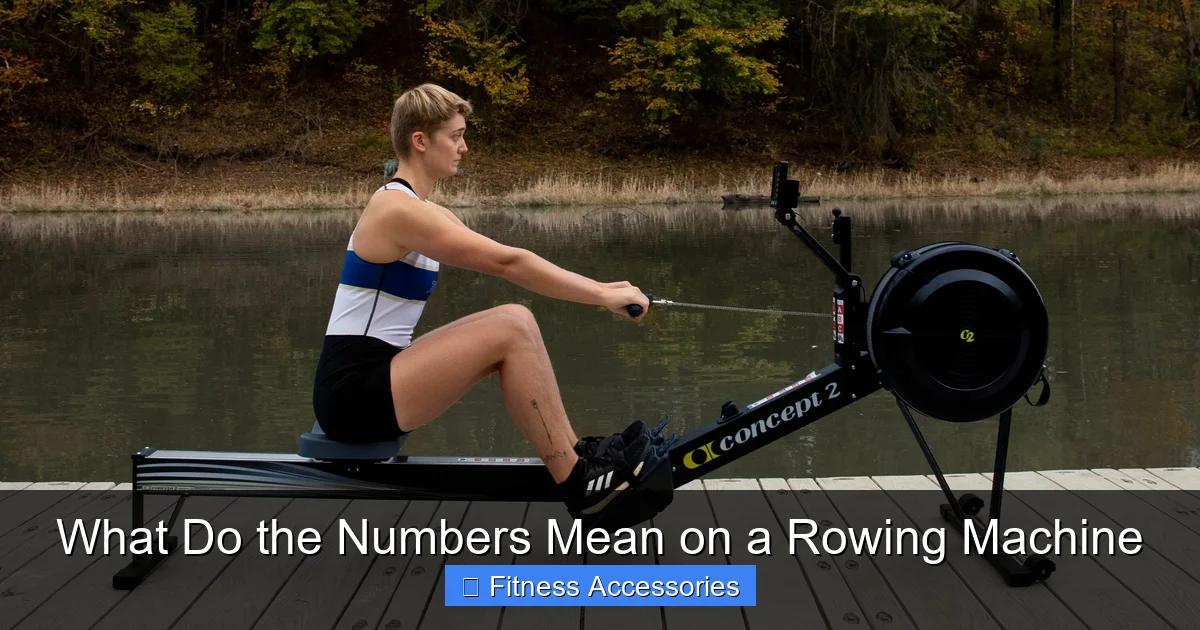
Visual guide about What Do the Numbers Mean on a Rowing Machine
Image source: static01.nyt.com
Why it matters
- Intensity control: Higher SPM generally means higher heart rate and calorie burn.
- Technique focus: A moderate 22‑24 SPM encourages a strong drive and proper recovery.
- Training variety: Interval workouts often alternate 30 SPM sprints with 18 SPM recovery.
Practical tip
Beginner rowers should start around 20–22 SPM. As you get comfortable, experiment with “power bursts” of 30 SPM for 20 seconds, then recover at 18 SPM. Use the console’s SPM display to stay on target.
3. Split Time: Your Pace per 500 Meters
What the number represents
The split is the average time it would take you to row 500 m, shown in minutes:seconds. It’s the rowing equivalent of a running pace.
Why it matters
- Performance metric: Lower split = faster rowing.
- Training zones: Coaches often prescribe splits (e.g., 1:45 for high‑intensity intervals).
- Progress indicator: Small split improvements reflect better power and technique.
Practical tip
Set a target split before you start. If you want a moderate workout, aim for a split 5–10 seconds slower than your best time. Watch the split readout and adjust your stroke power or rate to stay on pace.
4. Power (Watts): Real‑Time Output
What the number represents
Power measures the mechanical work you produce, displayed in watts. It’s calculated from the force you apply to the handle and the speed of the flywheel or water tank.
Why it matters
- Effort gauge: Unlike split, watts react instantly to changes in force.
- Training specificity: Power zones (e.g., 150‑200 W) help you target strength or endurance.
- Cross‑sport comparison: Cyclists and rowers both use watts, making it easy to compare training loads.
Practical tip
During interval training, use watts to keep effort consistent. For a 4‑minute “power interval,” aim for 180 W ± 5 W. If your machine allows, set a “watts target” and let the console beep when you dip below.
5. Calories Burned: Energy Expenditure Estimate
What the number represents
Calories are calculated from your power output, your body weight (entered in the user profile), and the duration of the row. It’s an estimate, not a precise measurement.
Why it matters
- Weight‑loss tracking: Knowing calories burned helps you balance diet and exercise.
- Motivation: Seeing a big number can be a confidence booster.
- Program design: Some workouts are calorie‑based (e.g., “burn 500 kcal in 30 min”).
Practical tip
Enter an accurate weight in the console’s user profile. For weight‑loss goals, aim for a consistent calorie burn of 400‑600 kcal per session, 3‑5 times per week.
6. Heart Rate: The Cardiovascular Indicator
What the number represents
If you wear a compatible chest strap or wrist sensor, the console displays your heart rate in beats per minute (bpm). It reflects how hard your heart is working.
Why it matters
- Intensity zones: 60‑70 % of max HR for fat‑burn, 80‑90 % for VO₂ max.
- Safety: Alerts you if you go too high or low.
- Recovery tracking: Faster post‑row HR recovery signals improved fitness.
Practical tip
Calculate your max HR (220 – age). During a steady‑state row, aim for 70‑75 % of max HR. Use the console’s alerts to stay within that zone.
7. Program & Memory Stats: Learning From Past Workouts
What the numbers represent
Most rowing machines store data from previous sessions: total distance, average split, best 500 m split, total calories, and more. Some also show “workout score” (e.g., Concept2’s “500‑m score”).
Why it matters
- Progress monitoring: Compare today’s split to last week’s.
- Motivation: Beat a personal best score.
- Program selection: Choose built‑in workouts (intervals, pyramids) that match your goals.
Practical tip
After each row, write down your key metrics (distance, split, watts). Review them weekly to spot trends. If your machine offers a “logbook,” export the data to a spreadsheet for deeper analysis.
Putting It All Together: Designing a Data‑Driven Rowing Session
Step‑by‑step example
- Set your goal: Improve 2,000 m time.
- Choose metrics: Focus on split, watts, and heart rate.
- Warm‑up: 5 min easy row, aim for 22 SPM, split ~2:15, HR < 120 bpm.
- Main set: 4 × 500 m intervals.
- Target split: 1:45.
- Target watts: 190 W.
- Recovery: 2 min easy row at 18 SPM, split >2:30.
- Cool‑down: 5 min at 18 SPM, watch HR drop below 130 bpm.
- Record: Log distance (2 km), average split (1:48), average watts (185), calories, and HR zones.
By watching each number during the workout, you know exactly when to push harder or back off, making every minute count.
Conclusion: Let the Numbers Guide Your Row
Understanding the numbers on a rowing machine transforms a vague workout into a precise, measurable session. Distance tells you how far you’ve gone, stroke rate sets your rhythm, split shows your pace, watts measure power, calories estimate energy use, and heart rate reflects cardiovascular effort. Pair these metrics with the machine’s memory functions, and you have a full picture of progress.
Start by picking one or two numbers that align with your current goal—maybe split for speed or watts for strength. Track them consistently, adjust your training plan, and watch your performance improve. The next time you sit on the rower, you’ll know exactly what each number means and how to use it to row smarter, stronger, and faster.
Frequently Asked Questions
What is the difference between split time and stroke rate?
Split time measures the average time to row 500 m, indicating pace, while stroke rate (SPM) counts how many strokes you take per minute, reflecting cadence.
Can I rely on the calorie count on my rowing machine?
Calorie estimates are based on power output and entered body weight, so they’re useful for trends but not exact. For precise tracking, combine them with a wearable fitness tracker.
How do I improve my split time?
Focus on stronger drives, maintain a consistent stroke rate (22‑24 SPM), and work on power (watts). Interval training—short bursts at lower splits—helps build speed.
Is a higher wattage always better?
Higher watts mean more power, but they should match your training goal. For endurance, moderate watts with a steady split are ideal; for strength, short high‑watts intervals work best.
Do I need a heart‑rate monitor for rowing?
A monitor isn’t required, but it adds valuable insight into cardiovascular intensity and helps you stay within target zones for specific fitness goals.
How can I use the machine’s memory stats?
Review past workouts to see trends in distance, split, and watts. Set personal‑best targets and track weekly improvements to stay motivated.