How to Watch Netflix on Life Fitness Treadmill
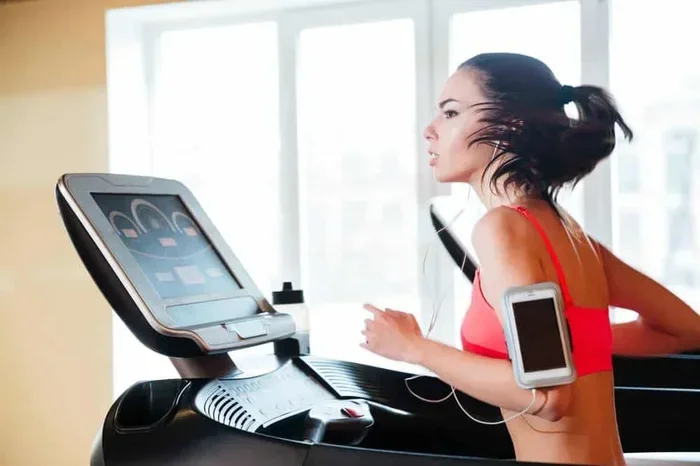
Watching Netflix on a Life Fitness treadmill is possible on select models with built-in touchscreen displays. You can stream your favorite shows and movies directly from the treadmill console, making workouts more enjoyable and helping you stay motivated longer. This guide covers setup steps, compatible models, troubleshooting tips, and best practices for a seamless streaming experience.
There is something magical about having your favorite Netflix show playing while you run. The minutes fly by, your legs keep moving, and suddenly you have finished a workout you actually enjoyed. If you own a Life Fitness treadmill, you might be wondering whether you can stream Netflix right from the console. The answer is yes, but with some important caveats.
This guide walks you through everything you need to know about watching Netflix on a Life Fitness treadmill. We will cover which models support it, how to set it up, what to do when things go wrong, and how to make the experience as smooth as possible. Whether you are a casual walker or a dedicated runner, this article has you covered.
Let us be honest. Treadmill workouts can feel monotonous. Watching Netflix transforms a boring jog into an engaging experience. Many people use streaming to stay motivated during long cardio sessions. If you have been searching for a way to make your treadmill sessions more enjoyable, you are in the right place.
Key Takeaways
- Not all models support Netflix: Only Life Fitness treadmills with touchscreen consoles and internet connectivity can run Netflix.
- Setup is straightforward: You need a stable Wi-Fi connection, a Logitech keyboard or touchscreen browser, and a Netflix account.
- Troubleshooting is common: Buffering, app crashes, and login issues are the most frequent problems users face.
- Safety matters: Always use the safety key and keep your running pace comfortable while watching content.
- Alternatives exist: If your model doesn’t support Netflix, you can cast from a phone or tablet to a nearby screen.
- Entertainment boosts motivation: Studies show that watching content during workouts increases consistency and enjoyment.
📑 Table of Contents
- Can You Watch Netflix on a Life Fitness Treadmill?
- Which Life Fitness Treadmill Models Support Netflix?
- How to Set Up Netflix on Your Life Fitness Treadmill
- Troubleshooting Netflix on Your Life Fitness Treadmill
- Best Practices for Watching Netflix While Running
- What If Your Treadmill Does Not Support Netflix?
- Conclusion
Can You Watch Netflix on a Life Fitness Treadmill?
The short answer is yes, but only on certain models. Life Fitness manufactures several lines of treadmills, and not all of them come with the technology needed for streaming. You need a treadmill with a built-in touchscreen display and internet connectivity. Older models or basic consoles simply do not have the hardware to support apps like Netflix.
Life Fitness treadmills that feature the Integra Console or the Studio Cycle/ Treadmill Touchscreen are your best bets. These consoles run on a modified Android or web-based operating system that allows you to browse the internet and access streaming platforms. If your treadmill has a small black-and-white or basic LED console, Netflix is not an option.
How to Check If Your Treadmill Supports Netflix
Before you try anything, confirm that your treadmill model supports streaming. Here is how to check:
- Look at the console screen. Does it have a touchscreen? Can you browse the web on it?
- Check for a web browser. Try opening the browser app on the console and visiting any website.
- Look for a Wi-Fi icon. Your treadmill should show a wireless connection status in the settings menu.
- Check the model number. Search for your specific model online to see if it lists streaming support.
If you are unsure about your model, you can also check the Life Fitness website or contact their customer support. Knowing whether your treadmill supports treadmill streaming saves you a lot of frustration later.
Which Life Fitness Treadmill Models Support Netflix?
Not every Life Fitness treadmill can run Netflix. Here are the models and console types that are known to support streaming:
- Life Fitness Integrity Series: These commercial-grade treadmills feature large touchscreen displays and full web browsing capabilities.
- Life Fitness Flex Series: The Flex consoles include a touchscreen and internet connectivity, making them compatible with Netflix.
- Life Fitness Signature Series: Higher-end models with advanced touchscreen consoles that support app-based streaming.
- Life Fitness Studio Treadmill: Designed for home gyms, this model has a large display and full streaming support.
If you own one of these models, you are in good shape. For those with older or basic models, do not worry. We will cover alternatives later in this guide. You can also learn more about connecting devices to Life Fitness equipment in our guide on connecting Apple Watch to Life Fitness Treadmill.
How to Set Up Netflix on Your Life Fitness Treadmill
Setting up Netflix on your treadmill is not complicated, but it does require a few steps. Follow this guide carefully to get everything working.
Step 1: Connect Your Treadmill to Wi-Fi
First, make sure your treadmill is connected to your home Wi-Fi network. Go to the console settings, find the network option, and select your Wi-Fi name. Enter your password and wait for the connection to establish. A stable internet connection is essential for smooth Netflix streaming on a treadmill.
Here are a few tips for a strong connection:
- Place your treadmill close to your Wi-Fi router.
- Avoid placing the treadmill near walls or metal objects that can block the signal.
- If your Wi-Fi is weak in the workout area, consider using a Wi-Fi extender.
- Use a 5 GHz band if available, as it offers faster speeds than 2.4 GHz.
Step 2: Open the Web Browser on the Console
Once connected to Wi-Fi, open the web browser on your treadmill console. Life Fitness treadmills typically use a built-in browser that works like a simplified version of Chrome or Safari. Navigate to the Netflix website by typing netflix.com into the address bar.
You may need to use a keyboard to type the URL. Some Life Fitness consoles come with a Logitech wireless keyboard that pairs with the treadmill. If your console does not have one, you might need to purchase a compatible keyboard separately.
Step 3: Log In to Your Netflix Account
Once you are on the Netflix website, click Sign In and enter your Netflix email and password. Use the on-screen keyboard or the Logitech keyboard to type your credentials. After logging in, you should see your Netflix homepage with all your profiles and recommendations.
If you do not have a Netflix account, you will need to create one first. Netflix offers several plans, and the standard plan works well for treadmill streaming. You can manage your subscription and profiles on the Netflix website using any device.
Step 4: Start Streaming
Browse Netflix and select the show or movie you want to watch. Click Play and let it buffer for a few seconds. The video should appear on your treadmill console screen. Adjust the volume using the console controls or the built-in speakers.
Here is what a smooth setup looks like in practice:
- Turn on your Life Fitness treadmill.
- Connect to Wi-Fi in the settings menu.
- Open the web browser.
- Go to netflix.com.
- Sign in with your Netflix credentials.
- Select a show and press Play.
- Start your workout and enjoy.
Some users also report success using the Netflix app if it is pre-installed on their console. However, most Life Fitness treadmills rely on the web browser for streaming. You can also check our article on watching Netflix on Proform treadmills for additional streaming tips.
Troubleshooting Netflix on Your Life Fitness Treadmill
Even with the right model and a good setup, you may run into issues. Netflix streaming on a treadmill can be finicky at times. Here are the most common problems and how to fix them.
Netflix Keeps Buffering or Freezing
Buffering is the most common complaint among treadmill streamers. It usually happens because of a weak Wi-Fi connection or slow internet speed. Try these fixes:
- Move your treadmill closer to the Wi-Fi router.
- Restart your router and modem.
- Close any other apps or browser tabs running on the console.
- Lower the Netflix video quality. Go to Account Settings on Netflix and reduce the streaming quality to Standard.
- Check your internet speed. You need at least 5 Mbps for smooth HD streaming.
Netflix Will Not Load or Display Properly
If the Netflix website does not load or looks broken, the browser may be outdated or cache may be full. Try clearing the browser cache on your treadmill console. You can also try using a different browser if your console supports multiple options.
Sometimes the Netflix website updates its layout, and older console browsers struggle to render the new design. In that case, try accessing Netflix through a mobile-friendly URL or use the mobile version of the site.
Cannot Sign In to Netflix
Login issues are frustrating but usually easy to fix. Make sure you are typing your email and password correctly. The on-screen keyboard can be tricky to use. If you have a Logitech keyboard, use it instead. Also, make sure your Netflix account is active and not suspended.
If you are still having trouble, try signing in from another device first to confirm your credentials work. You can also reset your Netflix password if needed.
Audio or Video Problems
If the video plays but the audio does not, check the console volume settings. Make sure the treadmill speakers are not muted. If the video looks pixelated or distorted, your internet speed may be too low for HD playback. Switch to a lower resolution in the Netflix player settings.
For more troubleshooting help with Life Fitness equipment, you can also visit our Apple Watch to Life Fitness Treadmill guide, which covers general connectivity tips.
Best Practices for Watching Netflix While Running
Streaming Netflix on your treadmill is fun, but it is important to do it safely and effectively. Here are some best practices to keep in mind.
Always Use the Safety Key
Never watch Netflix or any content on your treadmill without attaching the safety key. The safety key is a small magnet that clips to your clothing. If you fall or step off the belt, the safety key pulls out and stops the treadmill immediately. This is non-negotiable, even when you are distracted by a great show.
Keep Your Running Pace Comfortable
It is easy to get so absorbed in a Netflix episode that you forget to adjust your pace. Set a comfortable speed before you start watching. If you are walking, aim for 3 to 4 mph. If you are jogging, keep it between 5 and 7 mph. Do not increase the speed dramatically while your eyes are glued to the screen.
Use the Incline Wisely
Incline walking or running adds intensity to your workout, but it also changes your posture and balance. If you are watching an intense scene that makes you lean forward or hold onto the handrails, reduce the incline. Safety should always come first.
Take Breaks from the Screen
Staring at a screen for 30 to 60 minutes straight can cause eye strain. Every 15 to 20 minutes, briefly look away from the screen and focus on a distant point. This gives your eyes a rest and helps you stay aware of your body and surroundings.
Download Content When Possible
If your treadmill console supports downloading, download your favorite shows or movies before your workout. This way, you do not rely on a live internet connection, and you avoid buffering issues. Netflix allows downloads on mobile devices, so you can download content on a phone or tablet and then mirror it to the console if needed.
Keep the Treadmill Clean
Sweat and dust can affect the touchscreen and console performance. Wipe down the screen after each workout with a soft, dry cloth. A clean screen makes streaming more enjoyable and extends the life of your equipment.
For more tips on making your treadmill workouts more productive, check out our guide on things to do on a treadmill to pass time. You can also learn about what to watch while running on a treadmill for entertainment ideas beyond Netflix.
What If Your Treadmill Does Not Support Netflix?
Do not panic if your Life Fitness treadmill model cannot run Netflix directly. There are several workarounds that let you enjoy streaming content during your workout.
Use a Phone or Tablet with Bluetooth Speakers
You can stream Netflix on your phone or tablet and place it near the treadmill. Use Bluetooth speakers or earbuds for better audio. Prop your device on the console or a small stand so you can see the screen while you run.
Cast Netflix to a Nearby TV
If you have a smart TV near your treadmill area, you can cast Netflix from your phone to the TV. This gives you a much larger screen and better sound. Use Chromecast, AirPlay, or any casting method your devices support.
Use a Tablet Mount
Tablet mounts designed for treadmills hold your device securely at eye level. You can watch Netflix on a 10-inch tablet while running, and the larger screen makes for a much better experience than the small treadmill console.
These alternatives work well and do not require any special treadmill features. They also give you access to the full Netflix library, including content that might not load properly on the console browser.
Conclusion
Watching Netflix on a Life Fitness treadmill is a great way to make your workouts more enjoyable and pass the time faster. As long as you have a compatible model with a touchscreen console and internet connection, setting up Netflix is straightforward. Follow the steps in this guide, troubleshoot any issues that come up, and always prioritize safety over entertainment.
Remember, the goal is to make your workouts something you look forward to. Netflix on your treadmill can be the motivation you need to show up consistently and push through challenging sessions. Start with a short workout, test the setup, and adjust as needed. With the right approach, you will be binge-watching your favorite series while burning calories in no time.
Keep your treadmill maintained, your Wi-Fi connection strong, and your Netflix queue full. Happy streaming and happy running!
Frequently Asked Questions
Can all Life Fitness treadmills play Netflix?
No, only Life Fitness treadmills with touchscreen consoles and internet connectivity can run Netflix. Basic or older models with small LED displays do not support streaming. Check your model’s specifications to confirm compatibility.
Do I need a Netflix subscription to watch on my treadmill?
Yes, you need an active Netflix subscription. The treadmill console browser accesses Netflix through the web, so a standard Netflix plan works just fine. You can sign up for any Netflix tier that suits your needs.
Why does Netflix keep buffering on my Life Fitness treadmill?
Buffering usually happens due to a weak Wi-Fi connection or slow internet speed. Move your treadmill closer to the router, restart your modem, or lower the Netflix video quality to reduce buffering and improve playback.
Can I use the Netflix app directly on my treadmill console?
Most Life Fitness treadmills do not have a dedicated Netflix app. Instead, you access Netflix through the built-in web browser by visiting netflix.com. The browser-based approach works just as well as a native app.
Is it safe to watch Netflix while running on a treadmill?
Yes, as long as you use the safety key and keep a comfortable running pace. Avoid increasing speed or incline while focused on the screen. Take occasional breaks from looking at the display to reduce eye strain and stay aware of your body.
What should I do if the Netflix website does not load on my treadmill?
Try clearing the browser cache, restarting the treadmill, or checking your Wi-Fi connection. You can also try accessing the mobile version of Netflix or using a different browser if your console supports one. Updating the console firmware may also resolve loading issues.