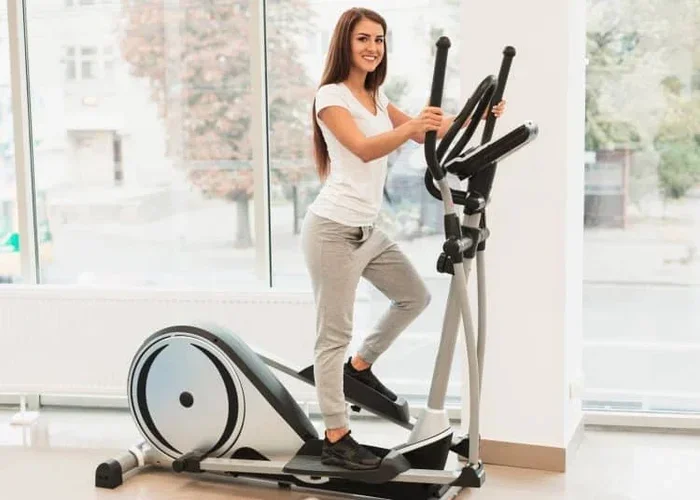
How Do I Turn Off My Nordictrack Elliptical

Turning off your NordicTrack elliptical is quick and easy once you know where to look. Whether you need to shut down the console, unplug the machine, or reset the display, this guide covers every method. You will also learn common troubleshooting tips to fix power issues and keep your elliptical running smoothly for years.
So you just finished a great workout on your NordicTrack elliptical, and now you want to turn it off. Sounds simple, right? But if you have ever stood in front of a glowing console not knowing which button to press, you are not alone. Many people wonder how do I turn off my Nordictrack elliptical because the process is not always obvious.
The good news is that shutting down your elliptical machine is straightforward once you know the steps. Whether you own a newer touchscreen model or an older version with basic buttons, this guide will walk you through every method. We will also cover troubleshooting tips, safety practices, and maintenance advice to keep your fitness equipment in top shape.
Before we dive in, it helps to understand that different NordicTrack models handle power-off slightly differently. Some machines have a dedicated power button on the console. Others require you to press and hold a button for a few seconds. And some older models simply need you to unplug the machine from the wall. No matter which type you own, you will find the right method below.
Key Takeaways
- Multiple Power-Off Methods: You can turn off your NordicTrack elliptical using the console button, the emergency stop, or by unplugging the machine from the wall.
- Console Shutdown Is the Standard Method: Most models let you power down directly from the touchscreen or button panel on the display.
- Troubleshooting Common Issues: If your elliptical will not turn off, a frozen console, loose power connection, or stuck power button could be the cause.
- Safety Matters: Always use the emergency stop or unplug the machine after intense cardio workouts to prevent accidental starts.
- Regular Maintenance Helps: Keeping your machine clean and checking the power cord regularly prevents most power-related problems.
- Check Your Model: Different NordicTrack elliptical models may have slightly different shutdown procedures, so always refer to your manual.
- Energy Saving Mode: Many newer models enter a low-power standby mode automatically after inactivity, which is different from a full shutdown.
📑 Table of Contents
- How to Turn Off Your NordicTrack Elliptical
- What to Do If Your NordicTrack Elliptical Will Not Turn Off
- Safety Tips for Shutting Down Your Elliptical
- Maintenance Tips to Keep Your NordicTrack Elliptical Running Smoothly
- Understanding Your NordicTrack Elliptical Power Settings
- Common Mistakes People Make When Turning Off Their Elliptical
- Conclusion
How to Turn Off Your NordicTrack Elliptical
There are three main ways to power down your elliptical machine. Each method works for different situations and model types. Let us walk through them one by one so you can choose the best approach for your setup.
Method 1: Use the Console Power Button
This is the most common way to turn off a NordicTrack elliptical. Look at the display screen or the control panel on the front of the machine. You will usually find a power icon that looks like a circle with a line at the top. Press that button once, and the machine should begin its shutdown sequence.
On newer touchscreen models, you may need to tap the power icon on the screen. On older button-based models, look for a button labeled “Power” or marked with the universal power symbol. Some models also let you access the power option through a menu on the console display.
After pressing the power button, wait a few seconds. The screen should go dark, and the machine will stop moving. This is the normal and safe way to shut down your home gym equipment.
Method 2: Use the Emergency Stop
Every NordicTrack elliptical comes with an emergency stop feature. This is a safety mechanism designed to cut power quickly in case of an accident or sudden need to stop. The emergency stop is usually a red button or a magnetic key clip attached to the console.
To use this method, simply press the emergency stop button or detach the magnetic key from the console. The machine will immediately cut power and come to a halt. This method is great when you need a fast shutdown during or right after a workout.
Keep in mind that using the emergency stop frequently is not ideal for the machine. It is meant for emergencies, not everyday shutdowns. For regular use, stick with the console power button.
Method 3: Unplug the Machine
If your NordicTrack elliptical does not respond to the console buttons, unplugging it from the wall outlet is a reliable fallback. Simply pull the power cord out of the outlet and wait a minute or two. The machine will fully lose power and reset.
This method works on all models, regardless of age or technology level. It is also the best option if you plan to store your machine for a long time or if you want to ensure zero power draw. Some people prefer to unplug their workout equipment after every session to save electricity and protect against power surges.
Just be gentle when handling the power cord. Never yank it from the wall by pulling on the cord. Grab the plug and pull it out carefully to avoid damaging the cable or the outlet.
What to Do If Your NordicTrack Elliptical Will Not Turn Off
Sometimes the console freezes or the power button stops working. This can be frustrating, but it is usually easy to fix. Here are the most common reasons your machine might not power down and what you can do about each one.
Frozen Console Display
A frozen screen is one of the most common issues with elliptical machines. If the display is stuck and you cannot access the power button, try a hard reset. Unplug the machine from the wall and wait at least 30 seconds. Plug it back in and try the power button again.
This simple reset clears the temporary memory and often fixes frozen screens. If the problem persists, check the power cord connections at both the machine and the wall outlet. A loose connection can cause the console to behave erratically.
Stuck or Unresponsive Power Button
Over time, dust and sweat can build up around the buttons on your console. This can make the power button feel sticky or unresponsive. To fix this, gently clean around the button with a soft, damp cloth.
Avoid using harsh chemicals or excessive water. A lightly dampened cloth with mild soap works well. If the button is physically damaged or stuck deep inside the console, you may need to contact NordicTrack customer support for assistance.
Power Cord or Outlet Issues
Sometimes the problem is not the machine but the power source. Check that the cord is fully plugged into the wall outlet. Try plugging the machine into a different outlet to rule out a faulty outlet. Also, inspect the power cord for any visible damage like fraying or cuts.
If the cord is damaged, do not use the machine until it is repaired. A frayed power cord can be a safety hazard. NordicTrack offers replacement cords through their support team, or you can find compatible cords online.
Safety Tips for Shutting Down Your Elliptical
Proper shutdown procedures protect both you and your machine. Taking a few extra seconds to power down correctly can extend the life of your equipment and prevent accidents. Here are some important safety tips to keep in mind.
Always Let the Machine Come to a Complete Stop
Before you attempt to turn off the machine, make sure the pedals and flywheel have fully stopped moving. Shutting down while the machine is still in motion can cause strain on the motor and other internal components. Let the elliptical slow down naturally before initiating the shutdown.
Use the Emergency Stop When Needed
If you feel dizzy, lose your balance, or experience any discomfort during your workout, do not hesitate to use the emergency stop. Your safety always comes first. The emergency stop is there to protect you, so use it whenever you need to.
Keep the Area Around the Machine Clear
After shutting down, give your machine some space. Keep towels, water bottles, and other items away from the console and pedals. A clear workout area reduces the risk of accidental contact and helps your machine stay clean.
Unplug During Storms or Long Breaks
Power surges during storms can damage your fitness machine. If you live in an area prone to electrical storms, unplug your elliptical when you are not using it. The same goes for extended breaks or vacations. Unplugging protects both the machine and your home.
Maintenance Tips to Keep Your NordicTrack Elliptical Running Smoothly
Turning off your machine is just one part of ownership. Regular maintenance keeps everything running smoothly and prevents many common issues. Here are some simple steps you can follow after every workout.
Wipe Down the Machine After Each Use
Sweat and dust can build up on the console, handles, and pedals. After each session, wipe down the machine with a clean, damp cloth. Pay special attention to the console buttons and the display screen. This simple habit prevents grime from interfering with the power button and touchscreen controls.
Check the Power Cord Regularly
Inspect the power cord for any signs of wear or damage at least once a month. A healthy power cord ensures a stable connection and prevents shutdown problems. If you notice any fraying or exposed wires, replace the cord immediately.
Lubricate Moving Parts as Needed
While the elliptical does not need as much lubrication as a treadmill, the pedals and moving joints can benefit from occasional lubrication. Check your elliptical manual for specific lubrication recommendations for your model.
Keep the Machine in a Dry, Cool Place
Moisture and heat can damage the console electronics and power supply. Place your machine in a well-ventilated area away from direct sunlight and humidity. A dry, cool environment helps all your home gym equipment last longer.
Understanding Your NordicTrack Elliptical Power Settings
Modern NordicTrack ellipticals come with several power-related settings that go beyond a simple on-off switch. Understanding these settings can help you get the most out of your machine and troubleshoot issues more effectively.
Standby Mode vs. Full Shutdown
Many newer NordicTrack models enter a standby mode after a period of inactivity. In standby mode, the display dims and power consumption drops to a minimum. This is not the same as a full shutdown. The machine is still drawing a small amount of power to keep the console ready for your next workout.
If you want to fully power down the machine, make sure you use the console power button or unplug it. Standby mode is convenient for quick breaks between workouts, but a full shutdown is better for long periods of non-use.
Timer and Auto-Off Features
Some NordicTrack ellipticals have an auto-off feature that powers down the machine after a set period of inactivity. This is a built-in safety feature that prevents the machine from running indefinitely. Check your model’s settings to see if this feature is available and how to adjust it.
Energy Saving Mode
Energy saving mode is another feature found on select models. When enabled, the machine reduces power consumption during your workout by dimming the display and lowering motor output slightly. This mode helps reduce electricity usage over time, especially if you do elliptical workouts frequently.
If you are interested in how much energy your machine uses, you might also want to compare calorie burn across different machines. Understanding your calorie burn on the elliptical can help you decide how long and how often to use it for your fitness goals.
Common Mistakes People Make When Turning Off Their Elliptical
Even simple tasks like powering off a machine can lead to mistakes. Here are some common errors to avoid so you get the best results and keep your machine in great condition.
Skipping the Proper Shutdown
Some people just walk away after their workout without turning the machine off. This wastes energy and can put unnecessary strain on the motor. Always take the few seconds to properly power down your elliptical machine.
Pulling the Power Cord Instead of Using the Button
Yanking the cord from the wall may seem fast, but it can damage the power connection over time. The repeated stress on the cord and outlet can cause loose connections or even electrical hazards. Use the console button first and unplug only when needed.
Ignoring Error Messages Before Shutdown
If your console displays an error code or warning before you try to turn off the machine, do not ignore it. These messages often point to underlying issues that need attention. Addressing them early can prevent bigger problems down the road.
Not Reading the User Manual
Every NordicTrack model is slightly different, and the user manual contains specific shutdown instructions for your exact machine. Taking a few minutes to read the manual can save you a lot of frustration. If you have lost your manual, you can usually find a digital copy on the NordicTrack website.
For more information about maintaining your elliptical and getting the most from your workouts, you might also find it helpful to learn about how to disassemble a Life Fitness elliptical machine for cleaning and maintenance purposes. Understanding your machine inside and out helps you take better care of it.
Additionally, if you are curious about how your workout routine compares across different machines, knowing how many calories you burn on the elliptical can help you plan your fitness schedule more effectively. And if you are working toward weight loss goals, checking out how long to do elliptical to lose weight gives you a great framework for structuring your sessions.
Conclusion
Knowing how do I turn off my Nordictrack elliptical is one of the simplest yet most important skills for any home gym owner. Whether you use the console power button, the emergency stop, or unplug the machine, each method has its place. The key is to shut down safely and consistently every time you finish your workout.
By following the tips in this guide, you can avoid common power issues, keep your machine running smoothly, and extend its lifespan. Regular maintenance, proper shutdown, and attention to safety all add up to a better workout experience.
Take a moment after your next session to practice the shutdown steps. Soon it will become second nature, and you will never have to wonder which button to press again. Your fitness machine will thank you for it, and your workouts will be even more enjoyable.
Frequently Asked Questions
Why won’t my NordicTrack elliptical turn off?
A frozen console, loose power connection, or unresponsive power button are the most common reasons. Try unplugging the machine for 30 seconds and plugging it back in to perform a hard reset. If the problem continues, check the power cord and console buttons for damage or debris.
Is it okay to unplug my elliptical after every workout?
Yes, unplugging your machine after each workout is safe and can actually help protect it from power surges. It also stops the machine from drawing standby power when not in use. Just be sure to grip the plug firmly and pull it out gently to avoid cord damage.
What is the difference between standby mode and a full shutdown?
Standby mode keeps the console in a low-power ready state so it turns on quickly for your next workout. A full shutdown completely cuts power to the machine. For long periods of non-use or when storing the machine, a full shutdown is the better choice.
Can I use the emergency stop for everyday shutdowns?
While you can, it is not recommended for daily use. The emergency stop is designed for quick power cuts during emergencies. Using it regularly can wear down the safety mechanism over time. Stick with the console power button for routine shutdowns.
How do I reset my NordicTrack elliptical console?
To reset the console, unplug the machine from the wall outlet and wait at least 30 seconds. Plug it back in and wait for the display to fully boot up. Then press the power button to turn the machine off normally. This simple reset clears temporary glitches and frozen screens.
Where can I find my NordicTrack elliptical user manual?
You can usually find a digital copy of your user manual on the NordicTrack website by searching for your specific model number. The manual includes detailed shutdown instructions, maintenance tips, and troubleshooting steps specific to your machine. If you cannot find it online, contacting NordicTrack customer support is another great option.