What Do the Numbers on Your Rowing Machine Mean

Understanding the display numbers on your rowing machine can transform a vague workout into a targeted, effective session. Learn what each metric measures, why it matters, and how to apply the data to reach your fitness goals faster.
Key Takeaways
- Understanding What Do The Numbers On Your Rowing Machine Mean: Provides essential knowledge
📑 Table of Contents
- Introduction: Why the Numbers Matter
- 1. The Core Metrics: Time, Distance, Strokes, and Split
- 2. Power (Watts) – Measuring the Real Effort
- 3. Calories Burned – Energy Expenditure Estimates
- 4. Heart‑Rate Monitoring – Adding the Cardiovascular Layer
- 5. Advanced Metrics: Stroke Rate, Drive Time, and More
- 6. Putting It All Together: Designing a Data‑Driven Rowing Workout
- Conclusion: Let the Numbers Guide You
Introduction: Why the Numbers Matter
Imagine sitting on a rowing machine with a blank screen. You pull, you push, and you finish—but you have no clue how hard you worked or whether you improved. That’s where the display numbers come in. They are not just digital fluff; they are the feedback loop that tells your body and brain what’s happening in real time.
In this article we’ll break down every common metric you’ll see on a rowing machine, explain what it actually measures, and show you how to use the data to get stronger, faster, and fitter. Whether you own a water‑row, a magnetic row, or a high‑tech Concept2, the principles stay the same. By the end you’ll be able to look at the screen, understand the story it’s telling, and adjust your workout on the fly.
1. The Core Metrics: Time, Distance, Strokes, and Split
1.1 Time – The Simple Clock
Time is the most straightforward number. It tells you how long you have been rowing in minutes and seconds. While it seems obvious, tracking time helps you structure workouts—think 20‑minute steady state, 5‑minute warm‑up, or a 30‑second sprint.
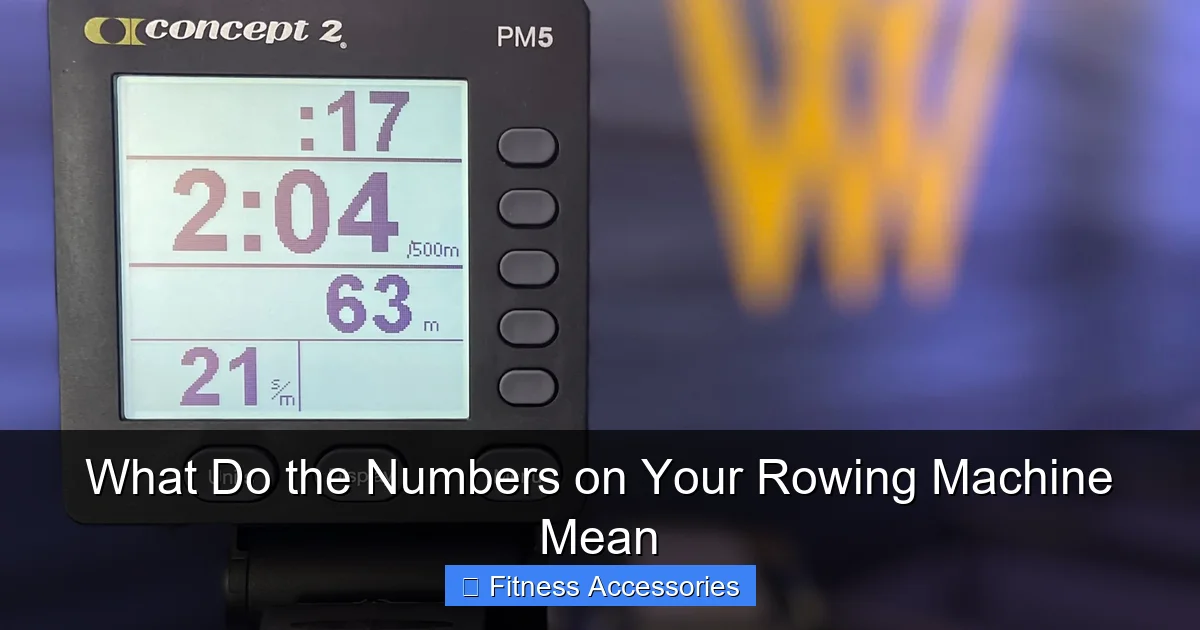
Visual guide about What Do the Numbers on Your Rowing Machine Mean
Image source: blog.therowhouse.com
1.2 Distance – How Far You’ve Gone
Distance is usually displayed in meters (or sometimes miles). Most machines calculate it from the number of strokes and the drag setting or resistance level. Knowing distance is crucial for goal‑oriented sessions such as “row 2,000 m in under 8 minutes.”
1.3 Strokes – Count of Pulls
Each complete pull—catch, drive, finish, and recovery—counts as one stroke. Stroke count helps you gauge rhythm and consistency. For beginners, aiming for a steady 20–24 strokes per minute (spm) builds good form.
1.4 Split – Your Speed Gauge
The split is the time it would take you to row 500 m at your current pace. It is expressed as minutes:seconds per 500 m. A split of 2:00 means you’re rowing at a speed of 500 m every two minutes, or 3 km/h. Lower splits equal faster rows. Many coaches use split as the primary performance metric because it normalizes effort across different distances.
**Practical tip:** If you’re training for a 2,000 m race, aim for a split that is 10–15% faster than your target race pace during interval work. This trains your body to handle the speed you’ll need on race day.
2. Power (Watts) – Measuring the Real Effort
2.1 What Is a Watt?
A watt is a unit of power—essentially, how much work you are doing each second. Rowing machines with a performance monitor (PM) calculate watts from the force applied to the handle and the speed of the flywheel or water tank.
2.2 Why Watts Matter More Than Split for Strength
Split shows speed, but watts show force. Two rowers can have the same split; one may be using a strong, powerful stroke while the other relies on a very fast turnover. If your goal is to build muscular endurance or increase VO₂ max, focusing on watts is more precise.
2.3 Using Watts in Training
- Power zones: Similar to heart‑rate zones, you can train in low (100‑150 W), moderate (150‑200 W), and high (200‑250 W) power zones.
- Interval design: Do 4 × 500 m at 250 W with 2‑minute rests, then cool down.
- Progress tracking: Log your average watts each week; a steady increase signals real strength gains.
3. Calories Burned – Energy Expenditure Estimates
3.1 How Machines Calculate Calories
Most rowers use a formula that includes your weight, the duration of the workout, and an average metabolic equivalent (MET) based on intensity. Because the calculation is an estimate, it’s best used as a guideline rather than an exact count.
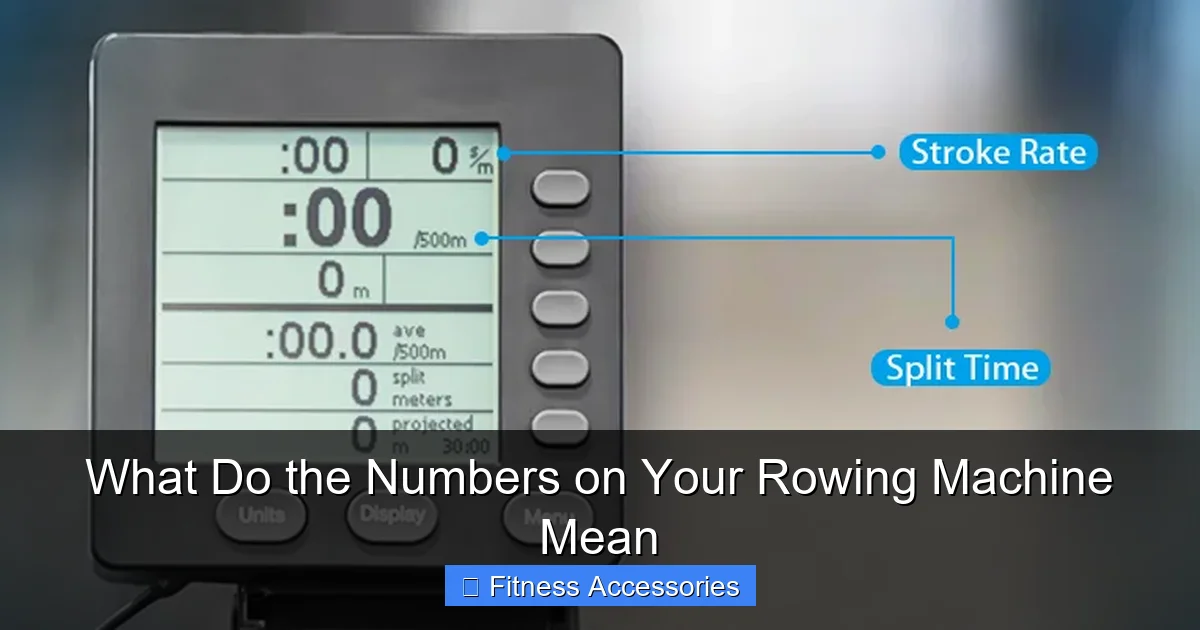
Visual guide about What Do the Numbers on Your Rowing Machine Mean
Image source: topiom.com
3.2 When to Use Calories as a Metric
If you’re following a weight‑loss plan that counts daily calories, the machine’s readout can help you stay on track. Pair it with a food diary for better accuracy.
3.3 Adjusting for Accuracy
Enter your exact weight in the machine’s user profile. Some models let you select gender and age, which fine‑tunes the estimate. Even then, remember that factors like metabolism and rowing technique affect real calorie burn.
4. Heart‑Rate Monitoring – Adding the Cardiovascular Layer
4.1 Connecting a Heart‑Rate Sensor
Most modern rowing machines have Bluetooth or ANT+ compatibility. Clip a chest strap or wear a wrist‑based monitor, pair it, and the display will show beats per minute (bpm) alongside your other numbers.
4.2 Why Heart‑Rate Matters
Heart‑rate tells you how hard your cardiovascular system is working. It’s especially useful for endurance training, where you want to stay in a specific zone (e.g., 70‑80% of max HR) for long periods.
4.3 Using HR Zones with Rowing Data
- Recovery rides: Keep HR below 120 bpm.
- Tempo rows: Aim for 140‑155 bpm (70‑80% of max).
- VO₂ max intervals: Push to 170‑185 bpm (85‑95% of max) for short bursts.
5. Advanced Metrics: Stroke Rate, Drive Time, and More
5.1 Stroke Rate (SpM)
Stroke rate is the number of strokes per minute. It is displayed as “spm” and is a quick way to gauge how fast you’re pulling. Higher spm means a quicker turnover; lower spm usually indicates a more powerful, deliberate stroke.
5.2 Drive Time vs. Recovery Time
Some premium monitors break each stroke into drive (the pulling phase) and recovery (the return). A balanced ratio—about 1:2 drive to recovery—helps maintain efficiency and reduces fatigue.
5.3 Drag Factor (Specific to Concept2)
The drag factor adjusts the resistance on a air‑row. A higher drag factor feels “heavier,” similar to shifting to a higher gear on a bike. Changing it will affect your split and watts, so keep it consistent for testing.
6. Putting It All Together: Designing a Data‑Driven Rowing Workout
6.1 Choose Your Primary Metric
Decide what you want to improve: speed (split), power (watts), endurance (time/distance), or calorie burn. Use that metric as the main focus of the session.
6.2 Sample Workouts
- Speed Session: Warm‑up 5 min (easy split). Then 8 × 250 m at a split 10% faster than race goal, 1‑minute rest. Cool‑down 5 min.
- Power Session: Warm‑up 4 min. 5 × 500 m at 230 W, 2‑minute rest. Finish with a 3‑minute steady row at 180 W.
- Endurance Session: Row 45 min at a comfortable split (2:10–2:20) while keeping heart‑rate in zone 2 (60‑70% max).
- Calorie Burn Session: 30 min interval: 1 min high intensity (aim for 300 W), 1 min low intensity, repeat. Track total calories at the end.
6.3 Monitoring Progress
Keep a simple log—either on paper or in a spreadsheet. Record date, workout type, primary metric (e.g., average split), and any notes on how you felt. Over weeks, you’ll see trends: splits dropping, watts climbing, or heart‑rate zones becoming easier. Those trends are the real proof of improvement.
Conclusion: Let the Numbers Guide You
The numbers on your rowing machine are more than just glowing digits; they are a roadmap to better fitness. By understanding what each metric means—time, distance, strokes, split, watts, calories, heart‑rate, and advanced data—you can tailor every row to your specific goals. Start with one focus, track it consistently, and watch your performance lift.
Remember, the best row is the one that challenges you just enough to grow. Use the display as a friendly coach, adjust the resistance, change the interval, and most importantly, enjoy the rhythm of the row. Happy rowing!
Frequently Asked Questions
What does the split number tell me?
The split shows the time it would take to row 500 m at your current pace. A lower split means you’re rowing faster, making it a key speed indicator.
How can I use watts to improve my rowing?
Watts measure the power you generate each stroke. Training in specific power zones (e.g., 200‑250 W) helps build strength and endurance more precisely than split alone.
Are the calories shown on the monitor accurate?
Calories are an estimate based on your weight, duration, and intensity. They’re useful for tracking trends, but don’t rely on them for exact calorie counts.
Do I need a heart‑rate monitor for effective rowing?
While not mandatory, a heart‑rate monitor adds insight into cardiovascular effort, helping you stay in desired training zones for endurance or HIIT sessions.
What is the drag factor on a Concept2 rower?
Drag factor adjusts the air resistance. A higher number feels heavier and makes each stroke harder, affecting split and watts. Keep it consistent for testing.
How often should I log my rowing numbers?
Log each workout, noting primary metrics like split, watts, or distance. Weekly reviews reveal trends and guide adjustments for continual progress.