How to Record Treadmill Run on Apple Watch
Recording a treadmill run on Apple Watch is simple once you know the right steps. You can use the built-in Workout app or third-party apps to capture your pace, distance, heart rate, and calories. Whether you own an Apple Watch Series 3 or the latest model, this guide shows you exactly how to get accurate indoor run data every time.
Key Takeaways
- Use the Workout App: The built-in Apple Watch treadmill workout app lets you start recording instantly with minimal setup.
- Calibrate for Accuracy: Calibrating your Apple Watch on the treadmill improves distance and pace readings significantly.
- Third-Party Apps Expand Features: Apps like Nike Run Club and Strava offer deeper treadmill run analytics.
- Indoor Run Data Matters: Tracking treadmill runs helps you monitor progress, set goals, and stay motivated.
- Common Issues Have Fixes: Most Apple Watch treadmill tracking problems are easy to solve with simple adjustments.
📑 Table of Contents
- How to Record Treadmill Run on Apple Watch
- Why Recording Treadmill Runs on Apple Watch Matters
- Setting Up Apple Watch for Treadmill Runs
- How to Start Recording a Treadmill Run
- Using Third-Party Apps for Better Treadmill Tracking
- Common Apple Watch Treadmill Tracking Issues
- Tips for Accurate Treadmill Run Recording
- Comparing Apple Watch Treadmill Tracking to Treadmill Display
- Frequently Asked Questions
- Final Thoughts
How to Record Treadmill Run on Apple Watch
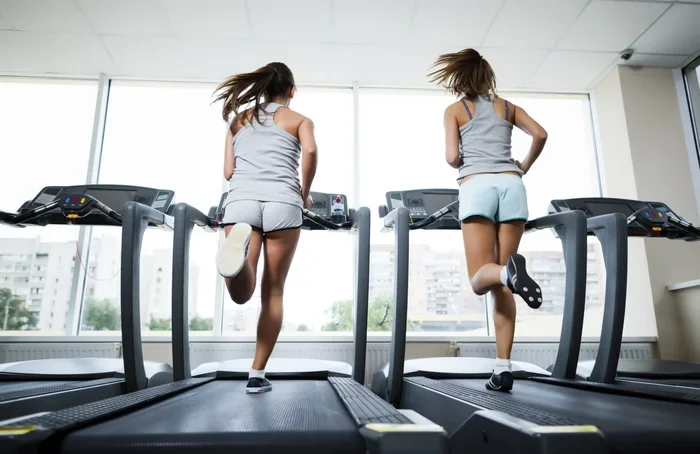
Treadmill running is one of the most convenient ways to stay active. Whether you are training for a race or just staying fit, tracking your indoor runs matters. Your Apple Watch makes this process surprisingly easy. You can record pace, distance, heart rate, and calories burned with just a few taps.
But here is the thing. Many people do not know the full potential of their watch when it comes to indoor exercise. The screen, the sensors, and the apps all work together to give you a complete picture of your treadmill session. In this guide, we walk you through every step. By the end, you will know exactly how to get the most out of your Apple Watch treadmill workout tracking.
Let us get into it. No fluff. Just clear, actionable steps that work.
Why Recording Treadmill Runs on Apple Watch Matters
You might wonder why recording indoor runs is even important. After all, you are walking or running in place. But the data you collect is incredibly valuable. It helps you understand your fitness trends over time. It also keeps you accountable and motivated.
When you track treadmill runs on Apple Watch, you get real-time feedback. You can see your pace, heart rate zones, and calorie burn during the workout. This information helps you adjust your effort and push harder when needed. Over weeks and months, you build a clear picture of your progress.
Here are some key reasons to record your treadmill sessions:
- Progress Tracking: See how your pace and endurance improve over time.
- Heart Rate Monitoring: Stay in the right zone for fat burn or cardio fitness.
- Calorie Accuracy: Get a better estimate of calories burned during indoor runs.
- Goal Setting: Set distance or time goals and track your consistency.
- Workout History: Review past sessions to plan future workouts smarter.
Without recording, all that effort goes unmeasured. And unmeasured effort is hard to build on. Your Apple Watch turns every treadmill session into actionable data.
Setting Up Apple Watch for Treadmill Runs
Before you start recording, you need a few things in place. Setting up correctly ensures your data is accurate and useful. This section covers the basics of getting your watch ready.
Update Your Apple Watch Software
Make sure your watch is running the latest version of watchOS. Apple regularly improves fitness tracking features. An updated watch also means fewer bugs and better sensor accuracy. Go to Settings, then General, then Software Update on your Apple Watch.
Wear Your Watch Correctly
This sounds obvious, but it matters a lot. Your Apple Watch should sit snugly on your wrist, about two finger widths above the bone. During treadmill runs, your arm swings less than when running outdoors. A loose fit can cause inaccurate heart rate readings. Keep it snug but comfortable.
Enable Fitness Tracking in the iPhone App
Open the Fitness app on your iPhone. Go to your profile and make sure all tracking features are turned on. You want your treadmill run data to sync properly with your iPhone and iCloud. This ensures your workout history is complete and accessible across devices.
How to Start Recording a Treadmill Run
Now for the main part. Here is the step-by-step process to start recording your treadmill run. Follow these steps and you will be tracking in under a minute.
Step 1: Open the Workout App
Press the digital crown on your Apple Watch to see all your apps. Find the Workout app. It has the green icon with a running figure. Tap it to open.
Step 2: Choose the Run Activity
Scroll down through the list of workouts. Select “Run.” If you prefer walking, you can choose “Walk” instead. The treadmill run recording works for both activities. The watch uses the same sensors for each.
Step 3: Set Your Goal
Before you start, you can set a goal. Choose from Open, Distance, Calories, or Time. For treadmill runs, “Open” is the most flexible option. It lets you run without a set target and still captures all the data. You can change this later in the app settings.
Step 4: Start Your Run
Hit the green Start button. Your Apple Watch begins tracking immediately. You will see real-time stats on the screen. Swipe left and right to view different metrics like heart rate, pace, and elapsed time.
Step 5: End and Save Your Workout
When you finish, swipe right and tap End. Your Apple Watch saves the workout automatically. The data syncs to your iPhone and appears in the Fitness app. You can review everything later, including charts and trends.
Quick Tip: If you want to pause during your treadmill run, press the digital crown and tap Pause. This is useful for walk breaks or water stops. The watch will not count paused time toward your total.
Using Third-Party Apps for Better Treadmill Tracking
The built-in Workout app works well. But if you want more detail, third-party apps are worth exploring. These apps offer advanced metrics, better charts, and social features that make treadmill running more engaging.
Nike Run Club
Nike Run Club is free and excellent for treadmill runs. It provides guided runs, audio feedback, and detailed post-run analysis. The app pairs easily with Apple Watch. You can start a treadmill run directly from the Nike Run Club app on your watch.
Strava
Strava is popular among runners of all levels. It tracks your treadmill sessions and connects you with a community. You can join challenges, share runs, and compare your progress with others. The Apple Watch app for Strava is simple to use and syncs seamlessly.
Runkeeper
Runkeeper offers voice cues during your run. It tells you your pace, distance, and heart rate at intervals you set. This is helpful on the treadmill where you cannot look at your watch constantly. The app also provides structured training plans for various fitness levels.
All these apps work alongside your Apple Watch’s built-in sensors. They enhance the data you collect without replacing the core tracking features. Choose one that fits your style and goals.
Common Apple Watch Treadmill Tracking Issues
Sometimes things do not work perfectly. Your Apple Watch might show inaccurate data or refuse to connect. Here are the most common issues and how to fix them.
Inaccurate Distance Readings
Apple Watch does not have a built-in treadmill sensor. It estimates distance using your arm movement and heart rate. This means distance readings on a treadmill can be off. To improve accuracy, calibrate your watch before running. Walk or run a known distance and let the watch adjust its calculations.
If you want to dive deeper into why this happens, check out our article on why Apple Watch is inaccurate on treadmill for detailed explanations and fixes.
Workout Not Saving
If your treadmill run does not save, check a few things first. Make sure your watch has enough battery. Confirm that your iPhone is nearby or connected to Wi-Fi. Go to the Fitness app settings on your iPhone and make sure all permissions are enabled. Restarting both devices often resolves this issue quickly.
Heart Rate Not Tracking
Poor heart rate readings are common during treadmill runs. Your wrist may not move as much as it does during outdoor running. Tighten the band slightly and make sure the sensor on the back of the watch is clean. If the problem persists, try restarting the watch or resetting the heart rate sensor calibration.
Tips for Accurate Treadmill Run Recording
Getting the most accurate data from your Apple Watch on a treadmill takes a little effort. These tips help you improve the quality of your recorded workouts.
- Calibrate Regularly: Calibrate your watch before each treadmill session. Walk a measured distance and let the watch adjust its stride length calculations.
- Use the Indoor Run Workout: Apple Watch offers an “Indoor Run” option in newer watchOS versions. This mode is specifically designed for treadmill and track running. It adjusts algorithms for indoor movement patterns.
- Enable GPS Even Indoors: Some Apple Watch models use Wi-Fi and cellular data for indoor positioning. Keep your watch connected to Wi-Fi for better accuracy.
- Input Your Weight Correctly: Calorie calculations depend on your weight. Make sure your weight is updated in the Fitness app on your iPhone for accurate calorie burn data.
- Keep Your Arm Moving Naturally: Even on a treadmill, swing your arms naturally. This helps the watch’s accelerometer track your movement more accurately.
Following these simple tips makes a big difference. Your recorded data becomes more reliable and useful for tracking your fitness journey.
Comparing Apple Watch Treadmill Tracking to Treadmill Display
Many runners wonder which source is more accurate. The treadmill display or the Apple Watch? Both have strengths and weaknesses.
The treadmill display measures belt movement. It calculates distance based on belt rotations. This is generally accurate for distance. However, it does not measure your heart rate or effort level.
Your Apple Watch measures effort, heart rate, and calorie burn. It estimates distance based on arm movement. This estimation can vary from the treadmill reading. For the most complete picture, use both. Compare the treadmill display for distance and your Apple Watch for effort and heart rate.
If you want a deeper comparison, read our article on Apple Watch vs treadmill accuracy to understand the differences better.
| Metric | Treadmill Display | Apple Watch |
|---|---|---|
| Distance | Most accurate | Estimated from arm movement |
| Heart Rate | Not available | Highly accurate |
| Calories Burned | Basic estimate | Detailed, personalized estimate |
| Pace | Accurate | Accurate based on effort |
| Elevation | Not available (unless incline) | Not tracked on flat treadmill |
Frequently Asked Questions
Can Apple Watch track treadmill runs without GPS?
Yes, Apple Watch can track treadmill runs without GPS. It uses the accelerometer and heart rate sensor to estimate distance and calories. The Indoor Run workout mode is designed for this purpose. For better accuracy, keep your watch connected to Wi-Fi.
How do I make my Apple Watch more accurate on a treadmill?
Calibrate your watch regularly by walking a known distance. Wear the watch snugly on your wrist. Keep your arm moving naturally. Also, make sure your weight is entered correctly in the Fitness app. These steps significantly improve tracking accuracy.
Does Apple Watch count treadmill walking toward exercise minutes?
Yes, Apple Watch counts treadmill walking toward your exercise minutes. As long as your heart rate rises into the moderate exercise zone, it counts. The Activity Rings reflect your treadmill efforts just like outdoor exercise. This makes indoor walking a great way to close your rings.
Why is my Apple Watch not recording my treadmill workout?
This can happen if your watch software is outdated. It may also occur if the Fitness app permissions are not set correctly. Try restarting both your Apple Watch and iPhone. Make sure the Workout app has permission to access health data. If the problem continues, unpair and repair your watch.
Which Apple Watch model is best for treadmill running?
Newer models like the Apple Watch Series 8, 9, and Ultra 2 offer the best treadmill tracking. They have improved sensors and the Indoor Run workout mode. However, even older models like Series 3 and 4 work well for basic treadmill recording. Any Apple Watch with watchOS 6 or later can track treadmill runs effectively.
Can I use Apple Watch with any treadmill?
Yes, Apple Watch works with any treadmill. It does not need a Bluetooth connection to the treadmill. The watch tracks your movement independently using its built-in sensors. This makes it compatible with every treadmill brand and model, from basic home units to commercial gym equipment.
Final Thoughts
Recording a treadmill run on Apple Watch is straightforward and rewarding. You get valuable data that helps you train smarter and stay motivated. From the built-in Workout app to third-party options, you have everything you need at your wrist.
Remember to calibrate regularly, wear your watch correctly, and explore different apps for deeper insights. The data you collect from your treadmill workouts on Apple Watch becomes a powerful tool for your fitness journey. Use it to set goals, track progress, and celebrate achievements.
Start today. Hit that green Start button on your next treadmill session. Your future self will thank you for the data and the consistency. Happy running!