How to Add Treadmill Workout to Apple Watch
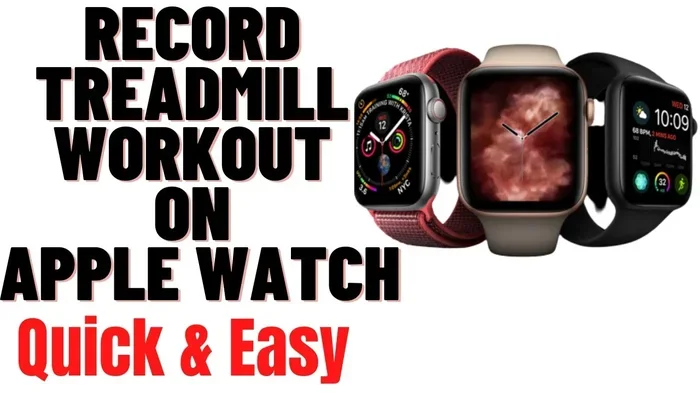
Adding a treadmill workout to Apple Watch is simple and gives you powerful insights into your indoor runs. You can use the built-in Workout app, third-party apps, or manually log sessions to track distance, pace, heart rate, and calories. This guide covers everything you need to set up and optimize your treadmill tracking on Apple Watch.
Adding a treadmill workout to Apple Watch is one of the easiest ways to take your indoor running to the next level. Whether you are training for a race, burning calories, or just staying active at home, your Apple Watch can do more than count steps. It tracks your pace, heart rate, calories burned, and even your elevation when you use the right settings.
Many people wonder how to get started. The good news is that you do not need any fancy equipment. Your Apple Watch comes with built-in tools that work great for treadmill sessions. You can also explore third-party apps if you want more features. In this guide, we walk you through every step clearly and simply.
By the end of this article, you will know exactly how to add, track, and optimize treadmill workouts on your Apple Watch. Let us dive in.
Key Takeaways
- Use the Built-In Workout App: The Apple Watch Workout app lets you track treadmill sessions using the Indoor Walk, Run, or Walk + Run workouts.
- Third-Party Apps Expand Features: Apps like Nike Run Club and Peloton offer advanced treadmill tracking with GPS-free metrics.
- Calibrate for Accuracy: Calibrating your Apple Watch and entering your weight improves distance and calorie estimates on the treadmill.
- Sync Your Data Easily: Apple Watch automatically syncs treadmill workout data to your iPhone and Apple Health.
- Troubleshoot Common Issues: If your Apple Watch won’t connect or track properly, restarting the device and updating software usually fixes the problem.
📑 Table of Contents
- Why Adding a Treadmill Workout to Apple Watch Matters
- How to Add a Treadmill Workout on Apple Watch
- Using Third-Party Apps for Better Treadmill Tracking
- Tips for Accurate Treadmill Tracking on Apple Watch
- Troubleshooting Common Issues
- Getting the Most Out of Your Treadmill Apple Watch Setup
- Common Mistakes to Avoid
- Final Thoughts
Why Adding a Treadmill Workout to Apple Watch Matters
Tracking your treadmill sessions gives you real data about your fitness progress. Without a tracker, you are just guessing how hard you worked. Apple Watch turns guesswork into facts. You see your exact pace, heart rate zones, and calorie burn after every session.
Here is why this matters:
- Accountability: Seeing your workout data keeps you motivated to stay consistent.
- Progress Tracking: You can compare week-over-week performance and spot improvements.
- Health Insights: Heart rate data during treadmill sessions helps you train smarter.
- Goal Setting: Apple Watch lets you set daily exercise rings, and treadmill workouts count toward your goals.
If you have ever asked yourself, why is there no treadmill workout on Apple Watch, you are not alone. The good news is that Apple Watch does not need a specific “treadmill” label. You can use indoor running or walking workouts that work perfectly on a treadmill.
How to Add a Treadmill Workout on Apple Watch
Setting up a treadmill workout on Apple Watch takes only a few minutes. You can use the built-in Workout app to start tracking right away. Follow these simple steps below.
Step 1: Open the Workout App
Press the digital crown on your Apple Watch to open the app grid. Find and tap the Workout app. It has a green icon with a running figure. Once open, scroll down to see all available workout types.
Step 2: Choose the Right Workout Type
Apple Watch does not have a “Treadmill” label, but it has options that work great for indoor running. Scroll through the list and look for these choices:
- Indoor Walk: Best for walking on the treadmill at a moderate pace.
- Outdoor Walk: Works fine for treadmill walking too.
- Indoor Run: The best option for treadmill running sessions.
- Outdoor Run: Also works for treadmill running, though it is designed for outside.
- Walk + Run: Great if your treadmill session includes both walking and running intervals.
Tap your preferred workout to select it. Then press the green Start button to begin your session.
Step 3: Start Your Treadmill Session
Once you hit Start, Apple Watch begins tracking immediately. It uses the built-in accelerometer and heart rate sensor to measure your movement and effort. You can swipe left and right on the screen to see different metrics like pace, heart rate, and elapsed time.
Step 4: End and Save Your Workout
When your treadmill session is complete, scroll to the bottom of the screen and tap End. You can then save the workout, add notes, or share it with friends. Your data automatically syncs to your iPhone.
Using Third-Party Apps for Better Treadmill Tracking
The built-in Workout app works well, but third-party apps can add more features. If you want detailed analytics, GPS-free pace mapping, or structured treadmill plans, these apps are worth exploring.
Top Apps for Treadmill Tracking
- Nike Run Club: Free app with guided runs and treadmill-friendly tracking. It works without GPS by using your Apple Watch sensors.
- Peloton: Great if you use treadmill classes. It syncs with Apple Watch to track your heart rate and output.
- Strava: Popular among runners. It tracks treadmill sessions and lets you compare your performance with others.
- Runkeeper: Simple and effective. It logs treadmill workouts and provides audio cues during your run.
Most of these apps connect directly to Apple Watch through the Watch app on your iPhone. Simply download the app, pair it with your watch, and start tracking.
When choosing an app, think about what matters most to you. Do you want detailed pace analysis? Community features? Guided workouts? Pick the app that fits your goals.
Tips for Accurate Treadmill Tracking on Apple Watch
Apple Watch does a great job tracking treadmill workouts, but a few tips can make your data even more accurate. Small adjustments make a big difference over time.
Calibrate Your Apple Watch
Calibration helps Apple Watch understand your stride and movement better. To calibrate:
- Open the Workout app on your Apple Watch.
- Start an outdoor walk or run for about 20 minutes.
- Let your watch learn your walking or running rhythm.
Even though this is an outdoor calibration, it helps improve indoor tracking accuracy too.
Enter Your Weight Correctly
Apple Watch uses your weight to estimate calorie burn. Make sure your weight is updated in the Health app on your iPhone. Go to Apple Health Profile and enter your current weight. This simple step improves calorie estimates during treadmill sessions.
Wear Your Watch Properly
For the best heart rate and motion tracking, wear your Apple Watch snug but comfortable on your wrist. It should sit about one finger width above your wrist bone. A loose fit can lead to inaccurate readings.
Use the Indoor Workout Settings
When you select Indoor Walk or Indoor Run, Apple Watch adjusts its algorithms for indoor movement. This is important because treadmill running differs from outdoor running in terms of impact and stride patterns.
Troubleshooting Common Issues
Sometimes things do not go smoothly. If your Apple Watch is not tracking your treadmill workout correctly, try these fixes.
Apple Watch Not Tracking Properly
If your watch seems to miss steps or your pace looks off, try restarting it. Hold down the side button and slide to power off. Wait a few seconds, then turn it back on. This clears minor software glitches.
Data Not Syncing to iPhone
If your treadmill workout data is not showing up on your iPhone, check your Bluetooth connection. Make sure your watch and phone are within range. You can also open the Watch app on your iPhone and go to General > Software Update to make sure everything is current.
Why Apple Watch and Treadmill Distance Might Not Match
It is common to notice a difference between your Apple Watch distance and the treadmill display. This happens because treadmill measure belt rotation, while Apple Watch measures wrist movement. If you want to understand why this gap exists, check out our detailed guide on why Apple Watch and treadmill distance do not match for a deeper explanation.
Rest assured, both measurements are estimates. Your Apple Watch data is still valuable for tracking trends and improvements over time.
Getting the Most Out of Your Treadmill Apple Watch Setup
Once you have your treadmill workouts tracking smoothly, you can take your training further. Here are some ideas to maximize your results.
Set Up Weekly Goals
Use Apple Watch to set weekly treadmill goals. You can aim for a certain number of indoor runs per week or target a specific calorie burn. The Activity app on your iPhone helps you set and monitor these goals easily.
Track Your Heart Rate Zones
Treadmill workouts are perfect for training in specific heart rate zones. Use Apple Watch to monitor whether you are in the fat burn zone, cardio zone, or peak zone. This helps you train with purpose instead of just running aimlessly.
Review Your Workout History
Apple Watch stores all your treadmill workout history in the Fitness app on your iPhone. You can review past sessions, compare your pace over time, and celebrate milestones. This data is incredibly motivating.
Combine Treadmill Workouts with Other Training
Apple Watch tracks all types of exercise. You can combine treadmill sessions with strength training, yoga, or rowing. This gives you a complete picture of your overall fitness. If you also use resistance bands for cross-training, your Apple Watch can log those workouts too.
Common Mistakes to Avoid
Here are a few mistakes people make when tracking treadmill workouts on Apple Watch:
- Skipping calibration: This leads to less accurate distance and pace data.
- Wearing the watch too loose: This causes poor heart rate readings.
- Forgetting to update your weight: This affects calorie burn estimates.
- Not saving workouts: Always save your session so data syncs properly.
- Using outdoor settings for indoor runs: Indoor workouts use different algorithms and give better results on the treadmill.
Final Thoughts
Adding a treadmill workout to Apple Watch is a game-changer for your indoor fitness routine. It turns every treadmill session into a data-rich experience. You get insights into your pace, heart rate, calories, and progress that you can use to train smarter.
Whether you use the built-in Workout app or explore third-party options, the key is consistency. Track every session, review your data, and let the numbers guide your training. With Apple Watch on your wrist, you have a powerful fitness companion that works just as well on the treadmill as it does outdoors.
Start today. Strap on your Apple Watch, hop on the treadmill, and let the tracking begin. Your future self will thank you for the data and the motivation.
Frequently Asked Questions
Can Apple Watch track treadmill workouts without GPS?
Yes, Apple Watch can track treadmill workouts without GPS. It uses the built-in accelerometer and heart rate sensor to measure your movement and effort. When you select Indoor Walk or Indoor Run, the watch adjusts its tracking to focus on wrist motion and heart rate data instead of GPS signals.
Which workout type should I choose on Apple Watch for treadmill running?
The best choice is Indoor Run. This workout type is specifically designed for indoor running and uses algorithms optimized for treadmill movement. If Indoor Run is not available, Outdoor Run also works well and gives you accurate pace and heart rate tracking.
Why does my Apple Watch calorie count differ from the treadmill display?
The treadmill estimates calories based on belt movement and your entered weight. Apple Watch calculates calories using your heart rate, wrist motion, and personal health data. These are two different methods, so some difference is normal. Apple Watch generally provides a more personalized estimate based on your individual fitness metrics.
Do I need an iPhone to track treadmill workouts on Apple Watch?
You do not need your iPhone nearby during the workout. Apple Watch stores workout data independently and syncs to your iPhone later when Bluetooth connects. However, you do need your iPhone to set up workout types and review detailed workout history in the Fitness app.
Can I use Apple Watch with a Peloton treadmill?
Yes, Apple Watch works with Peloton treadmills. You can wear your Apple Watch during Peloton treadmill classes, and it will track your heart rate and calories. The Peloton app can also connect to Apple Watch to display your heart rate on the screen during your workout.
How do I make sure my treadmill workout data saves correctly?
Always tap End when your workout is complete, then choose Save. Make sure your Apple Watch is connected to Wi-Fi or your iPhone via Bluetooth so the data syncs properly. You can verify your saved workout by opening the Fitness app on your iPhone and checking your recent workout history.