How Do I Turn on My Nordictrack Treadmill
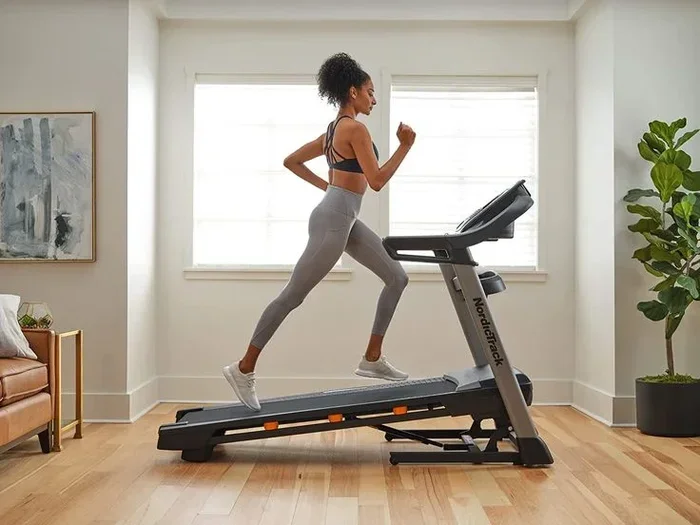
Turning on your NordicTrack treadmill is easy once you know the right steps. This guide walks you through powering up your console, inserting the safety key, and selecting your first workout. You will also learn common troubleshooting tips if your treadmill won’t start.
So you just unboxed your shiny new NordicTrack treadmill and you are ready to get moving. But there is one problem. You have no idea how to turn the thing on. Sound familiar? You are not alone. Many people set up their exercise machine and then stare at the console wondering what to do next. The good news is that powering on a NordicTrack treadmill is straightforward. Once you know the steps, you will be running in minutes. This guide covers everything you need to know. We will walk you through each step clearly and simply.
Whether you own the Commercial Series, the Commercial XSI, or any other model, the basic startup process is very similar. You will learn where the power button is, how to insert the safety key, and what to do if nothing happens when you press start. We also share tips to avoid common mistakes that trip people up. By the end of this article, you will feel confident firing up your treadmill every single time.
Key Takeaways
- Locate the power cord and safety key first: These are essential before your treadmill can turn on.
- Check the outlet and power supply: A tripped breaker or loose plug is the most common reason a treadmill won’t start.
- Use the console or remote control: Both methods work to power up your NordicTrack exercise machine.
- Reset the treadmill if needed: A simple reset can fix many startup problems without calling support.
- Select a user profile or guest mode: This lets you jump straight into your workout after powering on.
- Regular maintenance keeps it running: Lubricating the belt and checking connections prevents startup issues.
📑 Table of Contents
- Before You Turn On Your NordicTrack Treadmill
- How to Turn On Your NordicTrack Treadmill Step by Step
- Using the Remote Control to Power On
- Troubleshooting: Why Won’t My NordicTrack Treadmill Turn On?
- Maintenance Tips to Keep Your Treadmill Running Smoothly
- When to Contact NordicTrack Support
- Conclusion
Before You Turn On Your NordicTrack Treadmill
Before you even touch the power button, there are a few things you should check. Skipping these steps can cause frustration later. Take a moment to go through this quick checklist.
Check the Power Cord and Outlet
First, make sure the power cord is plugged in firmly. Sometimes during shipping or setup, the cord can become loose. Look at the back of the treadmill near the floor. You will see a thick cable hanging down. Push it into the wall outlet or power strip. If you use a surge protector, make sure that is turned on too.
Next, test the outlet itself. Plug in another device like a lamp or phone charger. If that device works, your outlet is fine. If not, check your home’s circuit breaker. A tripped breaker is one of the most common reasons a treadmill won’t turn on. Simply flip the breaker back to the “on” position and try again.
Insert the Safety Key
Every NordicTrack treadmill comes with a safety key. This is a small magnetic key that clips onto your clothing. Without it inserted, the treadmill will not start. The key plugs into the front console near the display screen. It has a specific shape, so it only fits one way. Do not skip this step. The safety key is a critical emergency stop feature. If you fall or lose balance, pulling the key stops the belt immediately.
If you lost your safety key, contact NordicTrack customer support. They can send you a replacement. Some models also accept a small magnet as a temporary substitute, but this is not recommended for regular use.
How to Turn On Your NordicTrack Treadmill Step by Step
Now for the main event. Here is exactly how to power on your treadmill. Follow these steps in order and you will be up and running in no time.
Step 1: Plug In and Power Up
Stand behind the treadmill and confirm the power cord is connected. Then locate the power button on the console. On most models, it sits at the top right corner of the display screen. The button may say “Power” or show a circle with a line through it. Press it firmly once. You should hear a soft click and see the console light up.
If the console stays dark, do not panic. Try pressing the button again. Sometimes you need to hold it for two or three seconds. Also check that the safety key is fully inserted. Without the key, the console may not activate at all.
Step 2: Select Your User Profile
Once the console powers on, you will see a welcome screen. NordicTrack treadmills let you save your workout preferences. If you already created a user profile, select it using the arrow buttons on the console. If you are new, choose the “Guest” option to get started right away. You can always set up a full profile later through the iFIT app or on the console menu.
Selecting a profile matters because it loads your preferred settings. These include your workout program, target heart rate, and incline preferences. This personal touch makes each session more effective and enjoyable.
Step 3: Choose Your Workout Mode
After selecting your profile, pick a workout mode. You can choose from manual mode, a structured workout, or a guided iFIT session. Manual mode lets you control speed and incline yourself. Guided workouts adjust the settings for you automatically. The console makes it easy to browse options with simple arrow navigation.
Press the “Start” button to begin your chosen program. The belt will start moving slowly at first. This gives you time to step on safely. Always stand on the sides of the belt first, not in the center. Wait until the belt moves before placing your feet on it.
Using the Remote Control to Power On
Many NordicTrack models come with a wireless remote control. This is a handy way to start your treadmill without walking over to the console. The remote has a dedicated power button, usually marked with the same power symbol. Make sure the remote has batteries installed. If it does not work, replace the batteries and try again.
The remote also lets you adjust speed and incline from a distance. This is especially useful if you like to change settings mid-workout without stopping. Keep the remote near your console or in a secure pocket during use. Losing the remote can be annoying, so store it in a consistent spot every time.
Troubleshooting: Why Won’t My NordicTrack Treadmill Turn On?
Sometimes things do not go as planned. If your treadmill refuses to power on, do not worry. Most issues have simple fixes. Here are the most common reasons and what to do about each one.
The Console Shows No Power
If the display screen stays completely dark, check the power cord connection first. Unplug it, wait ten seconds, and plug it back in. This simple reset often solves the problem. Also verify that the wall outlet is working. Try plugging another device into the same outlet to confirm.
If the outlet works but the treadmill still does not respond, look for a reset button on the motor housing. Some models have a small red button near the power cord entry point. Press it firmly. This resets the internal safety mechanism and often restores power to the console.
The Belt Moves but the Console Stays Off
This is a less common but still frustrating issue. It usually means the console is not receiving power even though the motor is. Check the wiring connection between the console and the motor board. This cable runs along the front of the treadmill frame. If it has come loose, reseat it carefully.
If the cable looks fine, the console itself may need replacement. Contact NordicTrack support for assistance. They can diagnose the issue remotely and arrange a replacement part if needed. Most consoles are covered under warranty, so this may cost you nothing.
The Treadmill Beeps but Does Not Start
Beeping sounds usually mean the treadmill is trying to tell you something. A continuous beep often indicates the safety key is not inserted properly. Remove the key, check both the key and the console port for debris, and reinsert it. A series of short beeps might mean the belt is locked or the incline is set too high for a manual start. Lower the incline to zero and try again.
Quick Tips to Avoid Startup Problems
- Keep the power cord away from the belt: Friction can damage the cord over time.
- Wipe the console with a dry cloth: Dust and sweat can interfere with button responsiveness.
- Do not overload the outlet: Plug the treadmill directly into a wall outlet when possible.
- Update your firmware: Connect to Wi-Fi and check for software updates regularly.
- Store the safety key in a designated spot: This prevents loss and ensures you always have it ready.
Maintenance Tips to Keep Your Treadmill Running Smoothly
Once you know how to turn on your treadmill, keeping it in good shape is the next priority. Regular maintenance extends the life of your machine and prevents startup problems. A well-maintained treadmill also performs better and feels smoother under your feet.
Lubricate the Belt Regularly
The treadmill belt needs lubrication to glide smoothly. Without it, friction builds up and can strain the motor. Most NordicTrack models use a silicone-based lubricant. Check your owner’s manual for the exact type and frequency. Generally, lubricating every three to six months works well for regular users.
To lubricate, turn off the treadmill and unplug it. Apply the lubricant evenly along the underside of the belt. Then run the treadmill at a slow speed for a few minutes to spread it. This simple task makes a huge difference in performance.
Check the Power Connection Periodically
Over time, vibrations can loosen the power cord connection. Every few months, unplug the cord and inspect both the plug and the outlet for wear or damage. Clean any dust from the connection points. A secure power connection ensures your treadmill turns on reliably every time.
Keep the Belt Aligned
A misaligned belt can cause slipping, uneven wear, and startup issues. Check the belt alignment by running the treadmill at a slow speed and watching the belt track. If it drifts to one side, use the adjustment bolts at the rear of the treadmill to center it. Turn the bolts a quarter turn at a time and check your progress.
When to Contact NordicTrack Support
Most startup issues resolve with the steps above. But some problems need professional help. If you have tried resetting the treadmill, checking the power cord, and inserting the safety key and it still will not turn on, it is time to reach out. NordicTrack has a dedicated support team that can walk you through advanced troubleshooting.
Have your model number ready when you contact them. You can find this on a sticker near the front or back of the frame. Support can also help with warranty claims, part replacements, and software issues. Do not hesitate to use this resource. Your treadmill is a significant investment, and you deserve to get the most out of it.
Remember, a treadmill that will not start is usually a simple fix. Stay patient, work through the checklist, and you will be back to your running routine in no time. Whether your goal is weight loss, endurance training, or just staying active, your NordicTrack treadmill is ready to help you get there.
Conclusion
Turning on your NordicTrack treadmill is simpler than you might think. Start by checking the power cord, inserting the safety key, and pressing the console power button. If something goes wrong, the troubleshooting steps above will help you fix most common issues. Regular maintenance keeps your machine running smoothly for years. Now that you know how to get started, lace up your shoes and enjoy your first workout. Your fitness journey begins with the simple act of pressing that power button. Make it a habit, and you will be amazed at how quickly exercise becomes part of your daily routine.
Frequently Asked Questions
Where is the power button on a NordicTrack treadmill?
The power button is located on the console, usually at the top right corner of the display screen. It may be labeled “Power” or show a universal power symbol. Press it firmly to turn on the treadmill.
Why does my NordicTrack treadmill not turn on even after pressing the power button?
This usually happens because the power cord is loose, the safety key is not inserted, or a circuit breaker has tripped. Check each of these first. If none of these fix the issue, try pressing the reset button on the motor housing.
Do I need the safety key every time I turn on my treadmill?
Yes. The safety key is required for the treadmill to start. It acts as an emergency stop mechanism. Without it inserted, the console will not activate and the belt will not move.
Can I use a remote control to turn on my NordicTrack treadmill?
Yes, most NordicTrack models support a wireless remote control. Make sure the remote has working batteries. Press the power button on the remote and the console should light up.
How often should I lubricate my NordicTrack treadmill belt?
For regular users, lubricate the belt every three to six months. If you use the treadmill daily or at high speeds, you may need to lubricate more often. Check your owner’s manual for model-specific guidance.
What should I do if my treadmill beeps but does not start?
Beeping usually signals an issue with the safety key or a locked belt. Remove and reinsert the safety key. Lower the incline to zero and try starting again. A series of short beeps often indicates the belt is not properly aligned or engaged.