Can You Use a Nordic Track Treadmill Without Ifit

Absolutely, you can use a NordicTrack treadmill without an active iFit subscription. While iFit is deeply integrated into the user experience, every NordicTrack treadmill has a built-in “Manual Mode” that allows you to walk, jog, or run without connecting to the internet or paying a monthly fee. Activating it typically involves pressing the “Speed” or “iFit” button on the console for a set number of seconds during startup. This means you retain all the core hardware functionality—powerful motors, incline/decline adjustments, and cushioning—without the interactive content or automatic data tracking. The main trade-offs are losing guided workouts, automatic metric storage to iFit’s cloud, and some console features may be limited. For budget-conscious users or those who prefer unstructured runs, manual mode is a perfect, fully functional solution.
So, you’ve got a shiny new NordicTrack treadmill parked in your living room, garage, or home gym. The box is unpacked, the assembly is (hopefully) complete, and you’re ready to start your fitness journey. Then you hit a wall: the console is prompting you for a Wi-Fi password and an iFit account. You might be thinking, “Wait a minute. Do I have to pay for this subscription just to use the machine I already bought? What if I just want to run?” It’s a fantastic question, and one that confuses and frustrates many new NordicTrack owners. The short, definitive answer is: Yes, you can absolutely use a NordicTrack treadmill without iFit. The longer answer involves understanding how NordicTrack has designed its systems, the steps to unlock your machine’s independent functionality, and the real pros and cons of going subscription-free. This guide will walk you through everything, turning that intimidating console into a simple, powerful running machine you control entirely.
Key Takeaways
- Manual Mode is Always Available: Every NordicTrack treadmill with a touchscreen includes a hidden manual mode, activated via a specific button press sequence during startup, allowing immediate use without iFit.
- Core Hardware Works Independently: The motor, belt, incline/decline motors, and basic speed controls function completely separately from the iFit software and do not require an internet connection.
- You Lose Interactive Content & Cloud Sync: Without iFit, you cannot access trainer-led workouts, scenic routes, or automatic workout history syncing to your account. Tracking becomes manual (pen and paper or other apps).
- Warranty Remains Intact (In Most Cases): Using manual mode does not void your treadmill’s hardware warranty, as it is an intended manufacturer feature. However, tampering with hardware or software to force other modifications might.
- Console Features May Be Limited: Some smart console features like web browsing, app integration, or specific metrics (like estimated calorie burn algorithms tied to iFit profiles) may be unavailable or less sophisticated in manual mode.
- Privacy is Enhanced: Bypassing iFit means your workout data, location, and personal information are not collected or stored by iFit’s servers, offering a more private fitness experience.
- Setup Requires a One-Time Activation: The initial setup to access manual mode is a simple, one-time process (usually holding the Speed ‘+’ button), but you must perform it after a factory reset or power outage.
📑 Table of Contents
Understanding the NordicTrack & iFit Ecosystem
Before we dive into the “how-to,” it’s crucial to understand what iFit is and how it relates to your treadmill’s hardware. iFit is not the treadmill itself; it is a separate, subscription-based fitness platform owned by NordicTrack’s parent company, ICON Health & Fitness. Think of it like this: your NordicTrack treadmill is a high-performance car. The hardware—the engine (motor), the transmission (belt and deck), the suspension (cushioning)—is all there. iFit is the premium navigation system, the entertainment suite, and the driving coach that you can optionally subscribe to. The car will still drive perfectly well without that subscription package, but you’ll have to use your own maps and find your own radio station.
The “Walled Garden” Design
Since around 2018, nearly all NordicTrack treadmills with touchscreen consoles (the S, Commercial, and NordicTrack series) have been designed as “walled garden” devices. This means the primary user interface is the iFit app/software running on the treadmill’s embedded Android-based computer. When you first power it on, it boots directly into iFit’s environment, asking for an account and internet connection. This design choice makes the subscription feel mandatory and is a common point of confusion. However, the engineers at ICON built a backdoor—a manual mode—specifically for scenarios where a user doesn’t have or want an iFit subscription. It’s not advertised on the startup screen, but it’s there, hard-coded into the system.
What iFit Actually Provides
To understand what you’re skipping, let’s list iFit’s core features:
- Trainer-Led, Immersive Workouts: Thousands of video workouts filmed in exotic locations worldwide. The trainer controls your speed and incline automatically.
- Global Workouts & Studio Classes: Non-location-based studio sessions with motivational coaches and music.
- Automatic Data Tracking & Sync: Workout metrics (distance, time, calories, heart rate) are automatically saved to your iFit cloud profile, accessible from any device.
- Personalized Recommendations: The platform suggests workouts based on your history and goals.
- Multi-User Profiles: Different family members can have separate accounts with saved preferences and history.
- Smart Console Features: Web browser, music streaming service integration (Spotify, etc.), and news feeds.
These are all software and service layers. Remove the subscription, and the physical machine beneath it remains fully capable.
Step-by-Step: How to Activate Manual Mode
This is the most critical section. The process is surprisingly simple but varies slightly by model year and console type. The golden rule: you must perform the button sequence on the very first startup screen, before you connect to Wi-Fi or create an account. If you’ve already set up iFit, you’ll need to perform a factory reset on the console first, which will return you to that initial setup screen.

Visual guide about Can You Use a Nordic Track Treadmill Without Ifit
Image source: garagegymreviews.com
The Universal “Hold the Speed Button” Method
For the vast majority of NordicTrack treadmills with a colored touchscreen (black, grey, or white bezel) from approximately 2019 onward, follow these steps:
- Power On: Ensure the treadmill is plugged in and the safety key is inserted. Press the power button on the console or the frame.
- Watch the Startup Screen: The NordicTrack/iFit logo will appear, followed by language selection, then a screen prompting you to “Connect to Wi-Fi” and “Sign In or Create Account.” Do not connect to Wi-Fi yet.
- The Key Sequence: On this “Connect to Wi-Fi” screen, locate the physical Speed ‘+’ (plus) button on the console’s side or front. Press and hold this button for approximately 10-15 seconds.
- Confirmation: You should feel a vibration, hear a beep, or see a small notification like “Manual Mode Activated” or “Bypass Successful.” The screen may flicker or restart.
- Success: After the restart, you should be taken directly to a simple, classic console interface showing metrics like time, distance, speed, and incline. The iFit prompts are gone. You can now use the treadmill immediately. You can connect to Wi-Fi later for firmware updates if you wish, but it’s not required for operation.
Model-Specific Variations & Troubleshooting
If the above doesn’t work, here are variations for specific popular models:
- Older Models (Pre-2019, Black & White Console): These often use a different sequence. Try holding the iFit button (if present) or the Stop button for 15 seconds on the initial setup screen.
- NordicTrack Commercial 1750 / 2450 (Recent Models): The hold-the-Speed-+ method is confirmed to work. Some users report needing to hold it for a full 20 seconds.
- NordicTrack S22i / S15i (Incline Trainers): The same Speed ‘+’ button hold on the initial Wi-Fi screen works. Note that on these incline trainers, manual mode will still allow you to use the automatic incline/decline feature via the console buttons.
- If It Doesn’t Work: Ensure you are on the exact screen that says “Connect to Wi-Fi” before you start holding. Do not have any buttons pressed when you power on. Try a different physical Speed button (some have a ‘+’ and a separate ‘Fast’ button). Search online for “NordicTrack [Your Exact Model Number] manual mode bypass” – the NordicTrack subreddit and treadmill forums are invaluable resources with user-verified steps for specific serial number ranges.
How to Reset to Factory Settings (If You Already Signed Up)
If you’ve already gone through the iFit setup, you must reset the console to get back to that initial Wi-Fi screen. The process is:
- On the main iFit console screen, go to Settings (gear icon).
- Find System or About.
- Look for Factory Reset or Reset Console. Warning: This will erase all Wi-Fi passwords and any downloaded workouts, but it will NOT erase your treadmill’s mechanical calibration.
- Confirm the reset. The console will reboot and take you back to the language selection screen, then the Wi-Fi prompt. Now, perform the button hold sequence from the previous section.
The Pros and Cons of Going iFit-Free
Choosing manual mode is a lifestyle decision. Let’s look at the honest trade-offs.
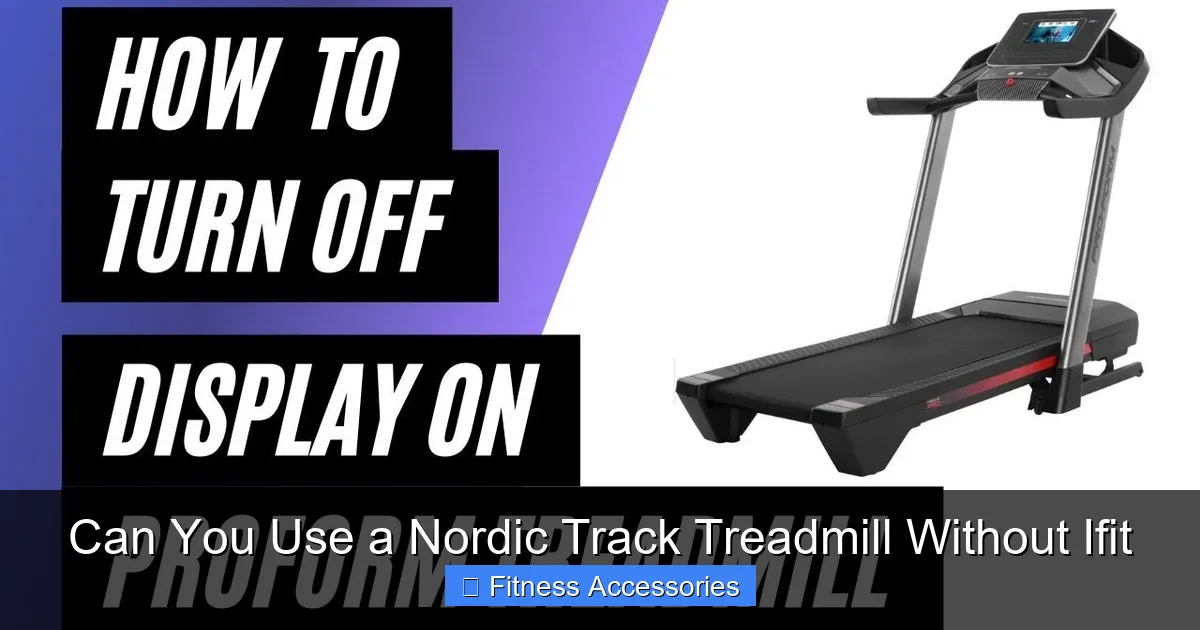
Visual guide about Can You Use a Nordic Track Treadmill Without Ifit
Image source: i.ytimg.com
Pros: Freedom, Savings, and Simplicity
- Zero Monthly Fees: This is the biggest win. iFit costs $39/month or $399/year. Over 5 years, that’s nearly $2,000 saved. You’ve already invested in the hardware; manual mode lets you use it without a recurring tax.
- Unmatched Simplicity & Focus: No logins, no buffering, no app crashes. You press start, adjust speed/incline with physical buttons, and run. It’s a pure, distraction-free workout. For many, this is a feature, not a bug.
- Total Privacy: Your workout data—your routes, your pace, your heart rate—stays on the treadmill’s local memory (if tracked at all) or on your personal device if you use a separate app. iFit’s data collection policies are a non-issue.
- Works Offline & Anywhere: No internet? No problem. The treadmill works in a basement, a cabin, or a gym with spotty Wi-Fi. It’s a reliable piece of equipment, not a connected device.
- Use Your Own Entertainment: You can pair your tablet via Bluetooth (if the console supports it for audio) to watch Netflix, YouTube, or listen to your own music/podcasts without competing with an iFit trainer’s voice.
Cons: Lost Features and Some Inconvenience
- No Guided, Automatic Workouts: The signature iFit feature—where a trainer in Switzerland remotely adjusts your speed and incline to match the terrain—is gone. You must manually control everything.
- No Automatic Cloud Tracking: Workout summaries (time, distance, estimated calories) appear on the console screen at the end of your session and then… disappear. There is no built-in history log you can browse. You must record your workouts manually in a journal or use a third-party app like Strava, MapMyRun, or the NordicTrack app (which can sometimes connect in manual mode for basic tracking).
- Limited Console “Smart” Features: The web browser, integrated music services, and news feeds are typically disabled in manual mode. The screen becomes a simple metric display.
- Potentially Fewer Metrics: Some advanced metrics, like “iFit ActivePulse” (which uses your heart rate to auto-adjust intensity) or detailed split data, are iFit-specific and unavailable.
- Perception of “Dumb” Machine: You lose the high-tech, immersive feel. For some, the motivation of a beautiful scenic route or a competitive leaderboard is irreplaceable.
Alternative Ways to Track & Entertain Yourself
Going manual doesn’t mean you have to be bored or in the dark about your progress. You just have to be a bit more proactive. Here’s how to build a great non-iFit ecosystem around your treadmill.

Visual guide about Can You Use a Nordic Track Treadmill Without Ifit
Image source: runningshorts.com
Tracking Your Workouts: The Analog & Digital Hybrid
Since the console won’t save history, you need a system.
- The Classic Notebook: Keep a dedicated workout log by the treadmill. Jot down date, time, total miles, average pace, incline, and how you felt. It’s tactile, satisfying, and requires no batteries.
- Third-Party Fitness Apps: This is the most popular modern solution. Apps like Strava, MapMyRun, Nike Run Club, or Apple Fitness+ (for iPhone users) can track treadmill runs. You can manually enter data after your run, or for more accuracy, use a Bluetooth foot pod or chest strap heart rate monitor that pairs with your phone/tablet. Some users place their phone on the console and use the app’s “treadmill” or “indoor run” mode, which uses the phone’s accelerometer to estimate distance/cadence (less accurate but convenient).
- NordicTrack App (Limited): Surprisingly, the free NordicTrack app (separate from iFit) can sometimes connect to your treadmill via Bluetooth in manual mode to capture basic metrics like time, distance, and heart rate (if you have a compatible strap). It won’t have the guided workouts, but it creates a minimal history log. Pairing can be finicky, but it’s worth a try.
Entertainment & Motivation Solutions
Your tablet is your new best friend.
- Streaming Services: Prop a tablet on the console or use a floor stand. Watch Netflix, Hulu, Disney+, or YouTube. The treadmill’s motor noise is usually not too loud, so headphones are recommended.
- Podcasts & Audiobooks: Perfect for longer, steady-state runs. The time flies by.
- Music Playlists: Curate high-BPM playlists on Spotify, Apple Music, or Amazon Music to match your running pace. Many treadmills have a Bluetooth audio output to connect to speakers or headphones, so you can leave your phone safely aside.
- YouTube Fitness Channels: Channels like “The Body Coaches,” “FitnessBlender,” or “HasFit” offer free, follow-along treadmill workouts. You watch the video and manually adjust your speed/incline as instructed. It’s a DIY iFit.
Addressing Common Concerns & Myths
Let’s clear the air on the big worries that keep people from trying manual mode.
“Will It Void My Warranty?”
No. Using the manufacturer-installed manual mode is explicitly supported and does not void your treadmill’s hardware warranty. The warranty covers defects in materials and workmanship. Your method of operation (with or without a subscription) is irrelevant to a faulty motor or a broken belt. However, if you were to physically tamper with the console’s computer or attempt to “jailbreak” it to force other features, that could be grounds for denial. Simply activating the intended manual mode is 100% safe.
“Is It a ‘Hack’ or Janky?”
It’s not a hack; it’s a feature. The button-hold sequence is an intentional, documented (though not widely advertised) backdoor built into the firmware. It’s as legitimate as using the “Guest” mode on a smart TV. The experience is stable and identical every time you use it after the initial activation. You’re not modifying any code; you’re just accessing a different startup profile.
“What About Firmware Updates?”
This is a valid concern. If you connect your treadmill to Wi-Fi in manual mode, it may receive firmware updates from NordicTrack. There is a small, theoretical risk that a future update could remove or change the manual mode bypass sequence. This has happened rarely in the past, but the community quickly discovers new sequences. If you are risk-averse, you can choose to never connect your treadmill to the internet. It will function perfectly forever without updates. The hardware does not need them to run. You’ll miss out on minor bug fixes, but the core operation is unaffected.
“Can I Still Use the Incline/Decline Automatically?”
In manual mode, the incline and decline functions are fully manual. You control them with the physical up/down buttons on the console. The automatic, trainer-controlled adjustments of iFit are off. However, you can still create your own “interval” workouts by programming custom speed and incline levels into some models’ memory (check your manual for “Custom Programs” or “User Programs”), which will run automatically without iFit.
The Future: Is This Sustainable Long-Term?
The business model of connected fitness equipment is clear: sell the hardware at a competitive margin and lock users into a high-margin subscription. As a consumer, your power lies in your purchasing decisions and your willingness to use the hardware as sold, not as a portal. The manual mode is NordicTrack’s acknowledgment that not every customer wants a subscription. It’s a legal and practical necessity. As long as there is demand for “dumb” operation, they will likely maintain this backdoor, if only to avoid consumer protection lawsuits or massive backlash. However, the trend is toward greater integration. Future models might make manual mode harder to find or require a “free trial” account that you simply never pay for. For now, the current fleet of treadmills (2020-2024 models) offers a clear, reliable path to subscription-free use.
For the used market, this knowledge is even more powerful. A used NordicTrack treadmill from a seller who is trying to offload it because “the iFit subscription is too expensive” is a potential goldmine. You can buy it, perform the manual mode activation, and have a premium treadmill at a fraction of the cost of a new “non-connected” brand. Just ensure the mechanical components (motor, belt, deck) are in good shape, as the hardware is what matters most.
Conclusion: Your Treadmill, Your Rules
That NordicTrack treadmill in your home is a powerful, capable machine. The iFit subscription is an optional layer of software and service, not a requirement for operation. By activating manual mode, you reclaim full control. You break free from monthly fees, data collection, and internet dependencies. You trade the immersive, guided experience for pure, simple, focused running. It’s not for everyone—those who thrive on external motivation and love the scenic routes will miss iFit dearly. But for the self-motivated runner, the privacy-conscious user, or anyone on a tight budget, manual mode is the key to unlocking your treadmill’s true value. The process is straightforward, the risks are minimal, and the freedom is total. So, go ahead. Find that Speed ‘+’ button, hold it down, and hear the satisfying beep that signifies your treadmill is finally, truly, yours.
Frequently Asked Questions
Will using my NordicTrack treadmill in manual mode void the warranty?
No. Activating the built-in manual mode does not void your treadmill’s hardware warranty, as it is an intended feature provided by the manufacturer. The warranty covers mechanical defects, not your choice of software.
How do I know which button sequence to use for my specific model?
The most common method is holding the physical Speed ‘+’ button for 10-15 seconds on the initial “Connect to Wi-Fi” screen. If that fails, search online for your exact model number (e.g., “NordicTrack Commercial 1750 manual mode”) as sequences can vary slightly by year. User forums are excellent resources.
Can I still connect a heart rate monitor or use Bluetooth audio in manual mode?
>Yes, in most cases. Manual mode typically disables the iFit-specific software features but leaves the underlying Bluetooth connectivity for heart rate straps and audio streaming (to speakers or headphones) functional. You can pair your devices directly to the console’s Bluetooth.
If I connect to Wi-Fi after activating manual mode, will it force me to log into iFit?
No. Once manual mode is activated, the console boots directly to the manual interface. Connecting to Wi-Fi may allow for firmware updates and potentially use of the limited NordicTrack app for basic tracking, but it will not automatically log you into iFit or require a subscription.
What happens to my workout data if I don’t use iFit?
In manual mode, workout summaries (time, distance, calories) are displayed on the console screen at the end of your session but are not saved to a cloud history. You must track your progress externally using a notebook, a third-party app like Strava, or, in some cases, the free NordicTrack app if it can connect via Bluetooth.
Is there any way to get iFit features for free after activating manual mode?
No. The guided, trainer-controlled workouts and automatic scenic routes are exclusive to the paid iFit subscription. Manual mode is strictly for using the treadmill’s hardware without those services. Any offer of a “free iFit account” would be a separate, limited trial, not a permanent backdoor.