Can You Watch Tv on a Nordictrack Treadmill
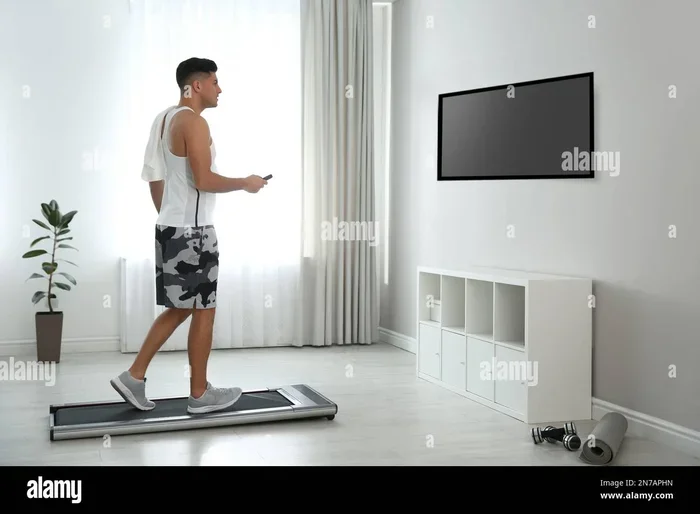
Yes, you can watch TV on a Nordictrack treadmill. Most Nordictrack models come with built-in screens that support streaming, and you can also connect your own TV or device. This guide covers everything you need to know about watching TV on a Nordictrack treadmill, from setup steps to safety tips. You will learn about screen sizes, app compatibility, and the best ways to stay entertained during your cardio workout.
Have you ever wanted to catch up on your favorite show while getting in a great workout? Can you watch TV on a Nordictrack treadmill? The short answer is yes. Nordictrack treadmills are designed with entertainment in mind. Many models come with built-in screens that let you stream shows, movies, and fitness classes right from the console. Whether you are a casual walker or a serious runner, having something to watch can make your indoor running sessions feel much shorter and more enjoyable.
In this guide, we will walk you through everything you need to know about watching TV on a Nordictrack treadmill. We will cover how the screen works, whether you can connect an external TV, the best ways to set up your viewing experience, and tips to stay safe while you watch. By the end, you will have a clear picture of how to turn your treadmill into a home entertainment hub for your cardio workout routines.
Let us dive in and explore the world of treadmill entertainment. You might be surprised at how easy it is to set up and how much more fun your workouts can become.
Key Takeaways
- Built-In Screen: Most Nordictrack treadmills have a screen that supports streaming apps and entertainment.
- External TV Connection: You can connect your own TV or device using HDMI or wireless methods.
- Safety Matters: Always set up your viewing angle to avoid neck strain or poor running form.
- iFit Integration: Nordictrack’s iFit platform offers guided workouts with immersive scenery.
- Best Content: Choose shows and videos that match your workout intensity and pace.
📑 Table of Contents
How the Nordictrack Treadmill Screen Works
Most Nordictrack treadmills come with a built-in display screen. This screen is not just for showing your speed and distance. It is a fully functional touchscreen that can connect to the internet. You can browse apps, stream videos, and even join live fitness classes right from the console. The Nordictrack screen is one of the standout features that sets these treadmills apart from other models on the market.
Built-In Screen Features
The built-in screen on a Nordictrack treadmill typically ranges from 7 to 10 inches, depending on the model. Higher-end models like the Commercial Series have larger displays. These screens run on the Nordictrack iFit platform, which gives you access to thousands of workout videos. You can also use the screen to watch Netflix, YouTube, and other streaming services if your model supports it.
The touchscreen is responsive and easy to navigate. You can swipe through menus just like you would on a tablet. The screen also tracks your workout motivation by showing your progress, heart rate, and calories burned in real time. If you are using the Nordictrack commercial series models, you get even more features like live coach-led classes and scenic virtual runs.
Screen Size and Resolution
Screen size matters when you are trying to watch TV while running. A small screen can be hard to see, especially if you are farther away from the console. Nordictrack offers different screen sizes across their lineup. Here is a quick look at what you can expect:
- Nordictrack T Series: 7-inch to 10-inch touchscreen
- Nordictrack Commercial Series: 10-inch to 14-inch HD display
- Nordictrack EXP Series: 10-inch touchscreen with HD resolution
The resolution on most newer models is sharp enough that you can watch shows without squinting. If you are planning to do a virtual run on a treadmill, the screen size and quality will make a big difference in how immersive the experience feels.
Can You Connect Your TV to a Nordictrack Treadmill?
Yes, you can connect your own TV to a Nordictrack treadmill. This is great news if you want a bigger screen for your treadmill TV setup. There are a few ways to do this, and they are all pretty simple. Let us look at your options.
Using HDMI and Wireless Connections
Many Nordictrack treadmills have an HDMI output port. This lets you connect the treadmill console directly to your TV. When you do this, the treadmill screen acts as a secondary display or a controller. You can launch apps from the treadmill and mirror the content onto your TV screen.
Some models also support wireless casting. This means you can cast content from your phone or tablet to your TV without any cables. Bluetooth and Wi-Fi connectivity make this possible on most newer Nordictrack treadmills. Just make sure your TV and treadmill are on the same network for the best results.
External Device Options
If your treadmill does not have built-in casting, you can still connect external devices. A simple HDMI cable from a laptop or streaming stick works great. You can also use devices like a Chromecast or Amazon Fire Stick. These plug right into your TV and give you access to all your favorite apps.
Another option is to use a tablet mount. You can attach your tablet to the treadmill console or place it on the handlebars. This gives you a personal screen that is easy to see while you run. Just make sure the tablet is secure and will not fall during your running while watching TV sessions.
For those who use fitness apps, you might also want to check if you can use Nike Run Club on a treadmill while streaming your favorite shows on a separate screen.
Best Ways to Watch TV While Running
Now that you know what is possible, let us talk about the best ways to actually watch TV while you run. There are several options, and the right one for you depends on your setup and preferences.
Built-In Streaming Apps
The easiest way to watch TV on your Nordictrack treadmill is through the built-in streaming apps. Most models support popular services like Netflix, Hulu, and YouTube. You can log in with your account and start watching right from the console. This is the most convenient option because you do not need any extra equipment.
The Nordictrack iFit platform also offers a unique type of content. Instead of just showing a screen, iFit uses immersive video footage filmed in real locations. You can “run” through the streets of Paris or hike through the mountains, all from your living room. This type of entertainment while exercising makes your workouts feel like an adventure. The Nordictrack incline feature adds even more realism to these virtual experiences by simulating hills and terrain changes.
Connecting Your Own Devices
If you prefer to watch your own content, connecting your own devices is the way to go. You can stream from your phone, tablet, or laptop to your TV. This gives you the most flexibility because you can watch anything you want. Sports games, movies, podcasts, or even just music videos are all fair game.
One thing to keep in mind is audio. If you are watching TV on a separate screen, you need a way to hear it while running. We will cover audio setup in the next section. But for now, know that you have plenty of options for treadmill entertainment beyond what comes built in.
What to Watch While Running on a Treadmill
Not all content is created equal when it comes to running while watching TV. Some shows and videos work better than others. If you want an immersive experience, look for scenic running videos or guided workout programs. These keep you engaged and help you maintain a steady pace.
For longer, steady-state runs, sitcoms and light shows work well because they do not require too much attention. If you are doing high-intensity intervals, you might want to watch something exciting that matches the energy. The key is to find content that keeps you moving without distracting you from your form.
For more specific recommendations on what to watch during your sessions, check out our guide on what to watch while running on a treadmill for expert picks and ideas.
Setting Up Your Treadmill for TV Viewing
A good setup makes all the difference when you are watching TV on a treadmill. You want to be comfortable, safe, and able to see the screen clearly without straining your neck or back.
Optimal Placement and Viewing Angles
Where you place your TV matters a lot. If you are using a separate TV, position it at eye level when you are standing on the treadmill. You should not have to look up or down too much. A slight downward gaze is okay, but a sharp angle can cause neck pain over time.
If you are using the built-in console screen, make sure it is at a comfortable distance. You do not want to be hunched over to see it. The top of the screen should be at or just below eye level when you are standing upright on the treadmill. This helps you maintain good posture throughout your exercise and TV sessions.
Audio Setup for Better Sound
Watching TV on a treadmill is not just about seeing it. You also need to hear it clearly. Most Nordictrack treadmills have built-in speakers, but they are not always the loudest. If you want better sound, consider using wireless earbuds or headphones.
Bluetooth earbuds are a great choice because they are wireless and sweat-proof. You can move freely without worrying about tangled cords. Some people also like using a small Bluetooth speaker placed near the treadmill. Just make sure it is secure and will not slide off during your workout.
For a truly hands-free experience, look into using voice commands if your TV and treadmill support it. This way, you can pause, play, or change the volume without touching your phone or remote while running. A hands-free treadmill setup keeps your focus on your pace and form.
Pros and Cons of Watching TV on a Treadmill
Like anything, watching TV while running has its benefits and its downsides. Let us look at both sides so you can make an informed decision about whether this is right for your home gym setup.
Benefits of Entertainment During Workouts
There are many reasons why people love to watch TV while running on a treadmill. First, it helps pass the time. A 30-minute run can feel like 15 minutes when you are hooked into a good show. This is especially helpful for people who struggle with workout motivation.
Second, it can help you maintain a steady pace. When you are watching something engaging, you are less likely to check the clock or focus on how tired you feel. This can lead to longer, more consistent workouts. Third, it makes the treadmill feel less boring. Let us be honest, running in place can get dull. Having something to watch changes the whole experience.
Potential Distractions and Risks
On the flip side, there are some risks to be aware of. Watching TV can distract you from your running form. If you are too focused on the screen, you might forget to keep your posture upright or your stride natural. This can lead to poor technique and even injury over time.
There is also the risk of tripping or losing your balance if you twist to look at a TV that is not positioned well. Always make sure your screen is in your direct line of sight and that you can see it without turning your head too much.
Another concern is that watching intense or emotional content can affect your heart rate and performance. If a show is too thrilling or sad, it might throw off your cardio workout rhythm. Stick to content that keeps you calm and focused, or match the content intensity to your workout intensity.
Tips for Safe TV Watching While Running
Watching TV on your Nordictrack treadmill can be a great experience if you do it safely. Here are some tips to keep in mind.
Maintaining Proper Form
Even when you are watching your favorite show, pay attention to your running form. Keep your shoulders back, your core engaged, and your arms relaxed. Do not hunch over the console or lean forward to see the screen. Good posture not only prevents injury but also helps you run more efficiently.
If you notice yourself slouching or leaning, take a break. Stretch, reset your posture, and then continue. Your body will thank you for it.
Using the Hands-Free Setup
One of the best ways to stay safe while watching TV is to go hands-free. Use voice commands to control playback, volume, and app navigation. This keeps your hands on the handlebars where they belong. Many modern TVs and streaming devices support voice control through smart assistants like Alexa or Google Assistant.
If you prefer not to use voice commands, place your remote or tablet in a secure holder. There are many treadmill-compatible device holders available that clip onto the console or handlebars. This keeps your device in place and within easy reach without you having to hold it.
Starting Slow and Building Up
If you are new to watching TV while running, start with short sessions. Try a 15-minute walk or light jog while watching a show. See how it feels and whether you can maintain good form. Over time, you can increase the duration and intensity of your workouts while still enjoying your treadmill entertainment.
Remember, the goal is to enhance your workout, not distract from it. If you find that TV is taking away from your focus or causing you to run unsafely, it is okay to turn it off and focus on your run instead.
Conclusion
Can you watch TV on a Nordictrack treadmill? Absolutely. Whether you use the built-in screen, connect an external TV, or stream from your own devices, there are plenty of ways to make your treadmill workouts more entertaining. The key is to set up your viewing area properly, choose content that matches your workout, and always prioritize safety and good form.
Watching TV while running can turn a boring workout into something you actually look forward to. It can boost your workout motivation, help you run longer, and make your home gym feel more like a personal entertainment center. Just remember to keep your posture strong, your screen at the right angle, and your content choices smart.
So go ahead, press play on your favorite show, and enjoy every stride. Your Nordictrack treadmill is ready to be your new favorite workout companion.
Frequently Asked Questions
Can I watch Netflix on a Nordictrack treadmill?
Yes, many Nordictrack models support Netflix and other popular streaming apps directly on the built-in screen. You just need to log in with your Netflix account and start watching. Make sure your treadmill is connected to Wi-Fi for the best streaming experience.
Do I need a separate TV for my Nordictrack treadmill?
No, you do not need a separate TV. Most Nordictrack treadmills come with a built-in screen that is plenty big enough for watching shows and videos. However, if you want a larger display, you can connect your TV using an HDMI cable or wireless casting.
Is it safe to watch TV while running on a treadmill?
Yes, it is safe as long as you set up your viewing angle correctly and maintain good posture. Keep the screen at eye level, avoid twisting your neck, and stay aware of your running form. Start with short sessions to get used to watching while running.
What screen size is best for watching TV on a treadmill?
A screen size between 10 and 14 inches is ideal for most users. If you are using the built-in console, a 10-inch screen works well. For an external TV, anything from 32 to 55 inches is comfortable, depending on your room size and viewing distance.
Can I use my phone to watch TV while on a Nordictrack treadmill?
Yes, you can use your phone as a screen by casting it to your TV or holding it on a secure mount. Just be careful not to hold the phone while running, as it can throw off your balance. A hands-free setup is always the safest option.
Does watching TV affect my treadmill workout performance?
It can go either way. Watching TV can help you run longer by distracting you from fatigue. But if the content is too intense or emotional, it might affect your heart rate and pacing. Choose content that matches your workout intensity for the best results.